

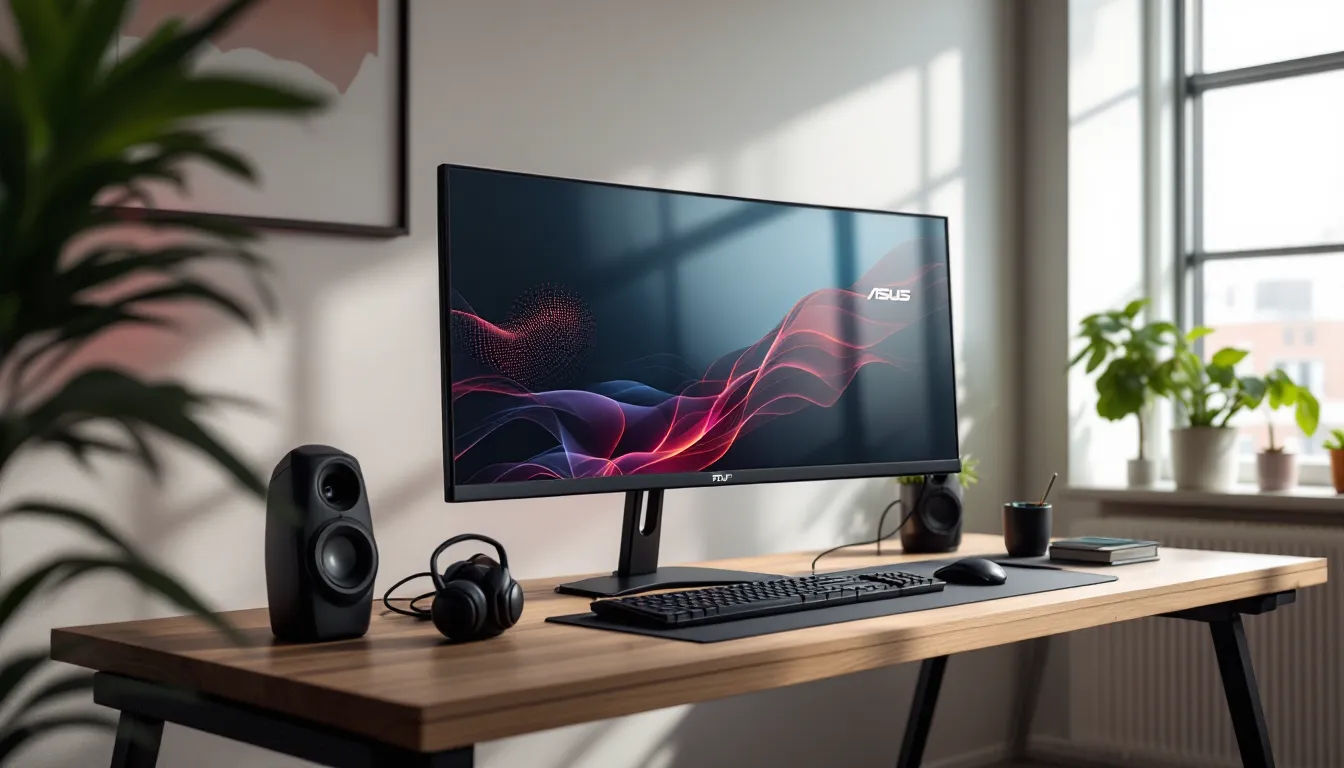
Ultrawide monitors have carved out a fierce niche in gaming, promising immersive wraparound visuals without the bezels of a multi-monitor setup. The ASUS TUF Gaming VG34VQL1B entered the scene a few years back, positioning itself as a budget-friendly option for gamers chasing both competitive performance and cinematic immersion. But here’s the question: in 2026, with newer panels and display tech flooding the market, does this 34-inch curved VA ultrawide still hold up?
This monitor launched with a solid spec sheet, 1440p resolution, 165Hz refresh rate, 1ms MPRT response time, and FreeSync Premium Pro. On paper, it ticks the boxes for both esports grinders and single-player enthusiasts. But specs only tell half the story. Real-world performance, build quality, and how it stacks up against competitors in a rapidly evolving market matter just as much.
This review digs into every angle of the VG34VQL1B: from its display performance and gaming responsiveness to its feature set and whether it’s still worth your money in 2026. Let’s break it down.
Key Takeaways
- The ASUS TUF Gaming VG34VQL1B delivers strong ultrawide immersion with its 3440 x 1440 resolution, 165Hz refresh rate, and aggressive 1800R curve, making it ideal for single-player RPGs, sim racing, and atmospheric games.
- Its VA panel excels in contrast and deep blacks but comes with trade-offs: slower 4–5ms pixel response times and viewing angle limitations compared to IPS alternatives.
- The monitor requires DisplayPort for full 165Hz performance—HDMI 2.0 caps out at 100Hz—and HDR10 support lacks local dimming for true HDR impact.
- At a mid-tier price point, the ASUS TUF Gaming VG34VQL1B remains competitive in 2026 for budget-conscious gamers, though newer QD-OLED and high-refresh IPS panels outperform it in motion clarity and HDR.
- Best suited for PC gamers prioritizing ultrawide immersion and contrast over competitive esports performance; console gamers should note HDMI limitations and lack of native ultrawide support in most titles.
- Solid build quality, responsive input lag, and reliable adaptive sync across AMD and NVIDIA GPUs make it a dependable mid-range ultrawide gaming choice.
What Is the ASUS TUF Gaming VG34VQL1B?
The ASUS TUF Gaming VG34VQL1B is a 34-inch curved ultrawide gaming monitor designed to balance competitive performance with immersive visuals. It features a 3440 x 1440 (WQHD) resolution, a 1800R curvature, and a VA panel that promises deep blacks and strong contrast ratios.
ASUS positioned this monitor under its TUF Gaming lineup, which targets gamers who want solid performance without the premium price tag of ROG models. It’s not trying to be the flashiest monitor on the market, but it aims to deliver where it counts: refresh rate, response time, and adaptive sync support.
Key Specifications at a Glance
Here’s what you’re working with:
- Panel Type: VA (Vertical Alignment)
- Screen Size: 34 inches
- Resolution: 3440 x 1440 (WQHD)
- Aspect Ratio: 21:9
- Curvature: 1800R
- Refresh Rate: 165Hz (native)
- Response Time: 1ms MPRT (Moving Picture Response Time)
- Adaptive Sync: AMD FreeSync Premium Pro, G-Sync Compatible
- HDR: HDR10 support
- Brightness: 400 cd/m² (typical), 550 cd/m² (peak with HDR)
- Contrast Ratio: 3000:1 (static)
- Connectivity: 2x HDMI 2.0, 1x DisplayPort 1.4, 2x USB 3.0, 3.5mm audio jack
- Stand Adjustability: Tilt, swivel, height adjustment
- Weight: Approx. 20.9 lbs (9.5 kg) with stand
The 1800R curve is relatively aggressive for a 34-inch panel, which can enhance immersion but might not suit everyone’s preference. The VA panel choice is a double-edged sword: you get excellent contrast and deep blacks, but pixel response times can lag behind IPS in fast motion.
Who Is This Monitor Built For?
This monitor targets a specific sweet spot: gamers who want ultrawide immersion without sacrificing competitive specs.
If you’re grinding ranked matches in Valorant, CS2, or Apex Legends, the 165Hz refresh rate and 1ms MPRT keep you competitive. The ultrawide aspect ratio won’t help much in pure esports titles (many lock to 16:9 in competitive modes), but it shines in games like Escape from Tarkov or Hunt: Showdown where peripheral vision matters.
For single-player enthusiasts, the 21:9 format transforms experiences in titles like Cyberpunk 2077, Elden Ring, or Starfield. The VA panel’s contrast ratio makes dark scenes pop, and HDR10 support adds dynamic range, though it’s not true HDR by enthusiast standards.
It’s also a solid pick for sim racers and flight sim fans. The curve and ultrawide FOV create natural cockpit immersion in Assetto Corsa Competizione, iRacing, or Microsoft Flight Simulator.
Budget-conscious builders will appreciate the VG34VQL1B’s positioning. It undercuts premium ultrawides while delivering core gaming features. But if you’re a color-critical creative professional or demand the fastest pixel response for pure esports, this isn’t your monitor.
Design and Build Quality
ASUS didn’t reinvent the wheel here. The VG34VQL1B sports a no-nonsense design that prioritizes function over flash.
Aesthetic and TUF Gaming Branding
The monitor features a matte black finish with subtle TUF Gaming branding on the bottom bezel. The bezels are thin on three sides, about 10mm, which helps the screen dominate your field of view. The bottom bezel is slightly thicker to house the ASUS logo and OSD controls.
The stand is a tripod design, sturdy but chunky. It takes up a fair bit of desk space, so if you’re working with a smaller setup, consider a VESA mount (100x100mm compatible). The back panel has a textured finish with angular vents and a cable management groove running down the stand.
There’s no RGB lighting, no flashy accents. It’s understated, which some will appreciate and others might find boring. If you’re coming from or comparing to monitors with aggressive gamer aesthetics, this feels restrained.
Build quality is solid. The plastic feels durable, and there’s no noticeable flex or creaking when adjusting the stand. The curve is uniform, and the panel sits securely in the housing. For a mid-tier gaming monitor, it feels like it’ll last.
Ergonomics and Stand Adjustability
The stand offers height adjustment (up to 120mm), tilt (-5° to +20°), and swivel (+25° to -25°). No pivot to portrait mode, but that’s expected for an ultrawide.
Adjustments are smooth and hold position well. The height adjustment requires a bit of force, which is good, it means the monitor won’t sag over time. Tilt is easy to dial in, and swivel helps if you need to share the screen or adjust viewing angles.
The stand’s footprint is about 10.6 inches deep, so plan your desk space accordingly. If you’re tight on room, mounting via VESA opens up desk real estate and gives you more flexibility.
Cable management is basic but functional. The groove in the stand keeps cables tidy, and there’s enough clearance at the base to route HDMI, DisplayPort, and power without clutter.
Display Performance and Image Quality
Here’s where the VG34VQL1B shows its strengths and trade-offs.
1440p Ultrawide Resolution and Screen Real Estate
The 3440 x 1440 resolution delivers sharp visuals without demanding as much GPU horsepower as 4K. Pixel density sits at roughly 110 PPI, which is comparable to a 27-inch 1440p display. Text is crisp, and in-game details are clear without needing aggressive anti-aliasing.
The 21:9 aspect ratio gives you about 33% more horizontal pixels than standard 16:9 monitors. In supported games, this translates to wider FOV, better peripheral awareness, and more immersive visuals. Productivity benefits too, you can comfortably run two windows side-by-side or stretch a single workspace.
Not all games support ultrawide natively. Older titles or competitive games like Overwatch 2 may crop the image or add black bars. Check compatibility guides on ProSettings for your specific titles if ultrawide support is a dealbreaker.
VA Panel Technology: Color Accuracy and Contrast
The VA panel delivers a 3000:1 static contrast ratio, which is roughly three times better than typical IPS panels. Blacks are deep, and shadow detail is excellent, great for horror games, atmospheric titles, or dark movie scenes.
Color accuracy out of the box is decent but not exceptional. The monitor covers about 90% DCI-P3 and 125% sRGB according to ASUS specs. In practice, colors are vibrant but can feel slightly oversaturated, especially reds and blues. Calibration helps, but this isn’t a color-critical display.
Viewing angles are the VA panel’s weak point. Shift off-center, and you’ll notice color shift and contrast degradation. For a single-user setup, it’s fine. For shared viewing, it’s limiting.
Pixel response time is the other VA trade-off. While ASUS claims 1ms MPRT, that’s with overdrive and backlight strobing (ELMB). Real-world gray-to-gray response is closer to 4-5ms, which can cause slight ghosting in fast motion. It’s noticeable in high-speed competitive scenarios but manageable in most games.
HDR Support and Brightness Levels
The VG34VQL1B supports HDR10 with a peak brightness of 550 cd/m² in HDR mode. Standard SDR brightness sits around 400 cd/m², which is bright enough for most indoor setups.
Here’s the reality check: this isn’t true HDR. It lacks local dimming zones, so the entire backlight dims or brightens together. You get slightly expanded dynamic range and brighter highlights, but not the contrast control of FALD or OLED displays. HDR can look better than SDR in certain games, but don’t expect dramatic impact.
For reference, many enthusiast sources like RTINGS classify monitors under 600 nits and without local dimming as “HDR in name only.” The VG34VQL1B falls into that category. Use HDR if it looks good to you, but it’s not a core selling point.
Gaming Performance and Responsiveness
This is where the VG34VQL1B aims to justify its gaming label.
165Hz Refresh Rate and 1ms Response Time
The 165Hz native refresh rate is a solid baseline for competitive and fast-paced gaming. It’s smoother than 144Hz and doesn’t require the GPU horsepower of 240Hz panels. For most gamers, 165Hz hits the sweet spot between performance and accessibility.
The 1ms MPRT claim requires enabling ELMB (Extreme Low Motion Blur), which uses backlight strobing to reduce motion blur. It works, but you can’t use ELMB and adaptive sync simultaneously, you have to choose. Most gamers will prioritize adaptive sync for tear-free gameplay, which means you’re living with the panel’s actual gray-to-gray response time (around 4-5ms).
In practice, motion clarity is good but not class-leading. Fast-paced shooters show slight trailing in high-contrast transitions. It’s not a dealbreaker for most, but if you’re used to high-end TN or fast IPS panels, you’ll notice the difference.
Adaptive Sync and FreeSync Premium Pro
The monitor features AMD FreeSync Premium Pro, which guarantees low framerate compensation (LFC) and HDR support. It’s also G-Sync Compatible (validated by NVIDIA), so it works with both AMD and NVIDIA GPUs.
Adaptive sync range is 48-165Hz. If your framerate drops below 48, LFC kicks in to maintain smooth playback. In testing, sync works well with minimal tearing or stuttering across a range of titles and GPU loads.
FreeSync Premium Pro’s HDR tone mapping is a nice bonus, though as noted earlier, the monitor’s HDR capabilities are limited. Still, having adaptive sync certified for both major GPU brands is a practical win.
Input Lag and Motion Handling
Input lag is low, around 4ms at 165Hz, which is imperceptible and competitive with other gaming monitors. The monitor feels responsive in shooters, MOBAs, and action games.
Motion handling is the VA panel’s Achilles’ heel. The slower pixel response leads to slight ghosting in high-contrast scenes. ASUS includes overdrive settings (Off, Level 1-5), and Level 3 is generally the sweet spot, faster response without overshoot or inverse ghosting.
For competitive esports, this isn’t the fastest panel available. But for the majority of gaming scenarios, it’s more than adequate.
Gaming Features and Software
ASUS bundles the VG34VQL1B with several gaming-oriented features accessible through the OSD.
GamePlus and GameVisual Modes
GamePlus offers on-screen overlays:
- Crosshair overlay: Useful for hipfire in games without persistent crosshairs.
- Timer: Track cooldowns or objectives.
- FPS counter: Monitor framerates without third-party software.
- Display alignment: Helps line up multi-monitor setups (less relevant for a single ultrawide).
These are accessible via the joystick control on the back-right of the monitor. The overlays are simple but functional.
GameVisual provides preset picture modes:
- Racing Mode: Boosts saturation for vibrant scenery.
- Cinema Mode: Softer colors for movies.
- FPS Mode: Enhances visibility in dark areas.
- RTS/RPG Mode: Balances clarity and color.
- sRGB Mode: Locks to sRGB color space for more accurate colors.
- Scenery Mode: High saturation for exploration games.
Most gamers will stick with FPS Mode or create a custom profile. The presets are a starting point, but fine-tuning brightness, contrast, and color temp manually yields better results.
Shadow Boost and Low Blue Light Technology
Shadow Boost brightens dark areas without overexposing highlights. It’s a gradient-based algorithm that lifts shadow detail, helpful in games with poor lighting or dark maps. Use it sparingly, crank it too high, and blacks look washed out.
Low Blue Light reduces blue wavelengths to cut eye strain during long sessions. Four levels are available, from slight to heavy filtering. Higher levels shift the color temp to warmer tones, which can make colors look off but is easier on the eyes at night.
Flicker-Free technology is also baked in, using DC backlighting to eliminate flicker. It’s a passive feature, but it contributes to reduced eye fatigue over marathon gaming or work sessions.
Connectivity and Ports
The VG34VQL1B keeps connectivity straightforward:
- 2x HDMI 2.0 ports: Supports up to 3440 x 1440 at 100Hz. If you’re using HDMI, you’re capped at 100Hz refresh rate, not ideal.
- 1x DisplayPort 1.4: Unlocks the full 3440 x 1440 at 165Hz. Use this for PC gaming.
- 2x USB 3.0 ports: Upstream USB-B connection required: handy for peripherals or charging.
- 3.5mm audio jack: For headphones or powered speakers.
No USB-C, no Thunderbolt, no built-in speakers. The USB hub is basic but useful. Audio passthrough works fine if you’re routing sound from your GPU.
For console gamers, the HDMI 2.0 limitation is a bummer. PS5 and Xbox Series X can drive the monitor, but you’re locked to 100Hz and limited ultrawide support (most console games run 16:9). This monitor is clearly PC-first.
Cable routing is clean thanks to the stand’s cable management groove. The ports face downward and are slightly recessed, so accessing them requires some reach, but they’re laid out logically.
Best Use Cases for Different Gaming Genres
How does the VG34VQL1B perform across different types of games?
Competitive FPS and Esports
For pure esports, the VG34VQL1B is a compromise. The 165Hz refresh rate is competitive, and input lag is low. But the VA panel’s slower pixel response and slight ghosting put it behind high-refresh TN or fast IPS panels.
Many competitive titles (Valorant, CS2, Rainbow Six Siege) lock to 16:9 in ranked modes, so you’re not leveraging the ultrawide advantage. If you’re a serious ranked grinder, a 27-inch 240Hz or 360Hz panel makes more sense.
That said, if you play a mix of competitive and casual shooters, the VG34VQL1B holds up. The extra screen space helps in tactical shooters like Tarkov or Hunt, where situational awareness is key.
Immersive Single-Player and RPGs
This is where the monitor shines. The 21:9 aspect ratio transforms single-player experiences.
In Cyberpunk 2077, The Witcher 3, or Red Dead Redemption 2, the ultrawide FOV pulls you deeper into the world. The VA panel’s contrast makes night scenes, dungeons, and shadowy environments look stunning.
HDR adds a bit of punch in supported titles, though it’s not transformative. The 165Hz refresh rate smooths out camera movement and combat, and the 1440p resolution keeps visuals sharp without tanking framerate.
RPGs, open-world games, and narrative-driven titles are the VG34VQL1B’s bread and butter.
Racing and Simulation Games
Sim racers and flight sim enthusiasts will love this monitor. The 1800R curve mimics natural vision, and the ultrawide format creates immersive cockpit views.
In Assetto Corsa Competizione, F1 23, or iRacing, the extra horizontal FOV helps you judge corners and track opponents. The VA panel’s contrast enhances dashboard details and nighttime racing.
For flight sims like Microsoft Flight Simulator or DCS World, the ultrawide aspect ratio reduces the need for head tracking or multi-monitor setups. You get a more natural view of the cockpit and surroundings.
The 165Hz refresh isn’t essential for sims, but it’s nice to have when frames allow. Adaptive sync smooths out dips in demanding scenarios.
Pros and Cons of the VG34VQL1B
Let’s break down what works and what doesn’t.
What We Love
- Strong contrast and deep blacks: The VA panel delivers excellent contrast for dark scenes and moody games.
- 165Hz refresh rate: Smooth gameplay without demanding a top-tier GPU.
- Ultrawide immersion: 21:9 aspect ratio transforms compatible games and boosts productivity.
- Adaptive sync flexibility: FreeSync Premium Pro and G-Sync Compatible work with both AMD and NVIDIA GPUs.
- Solid build and ergonomics: Sturdy stand with height, tilt, and swivel adjustments.
- Competitive pricing: Undercuts premium ultrawides while delivering core features.
- Low input lag: Responsive feel in fast-paced games.
- Curved design: 1800R curve enhances immersion in supported titles.
Where It Falls Short
- Slower pixel response: VA panel ghosting is noticeable in high-speed competitive scenarios.
- Limited HDR: HDR10 support without local dimming doesn’t deliver true HDR experience.
- HDMI 2.0 bottleneck: Caps refresh at 100Hz over HDMI: DisplayPort required for full 165Hz.
- No USB-C or built-in speakers: Connectivity options are basic.
- Viewing angles: Color shift and contrast loss when viewed off-center.
- Oversaturated colors out of the box: Requires calibration for accurate color reproduction.
- ELMB and adaptive sync conflict: Can’t use both simultaneously.
- Chunky stand footprint: Takes up desk space: VESA mounting recommended for smaller setups.
How It Compares to Competitors in 2026
In 2026, the ultrawide gaming monitor market has evolved. Here’s how the VG34VQL1B stacks up.
LG 34GP83A-B (IPS, 144Hz): The LG offers faster pixel response and better viewing angles thanks to its Nano IPS panel, but contrast is weaker (around 1000:1). It’s slightly more expensive and trades the VG34VQL1B’s deep blacks for sharper motion clarity. If you prioritize response time, the LG wins. For contrast and immersion, ASUS takes it.
Samsung Odyssey G5 34″ (VA, 165Hz): Samsung’s offering is a close competitor with similar specs, VA panel, 1440p ultrawide, 165Hz. The Odyssey G5 has a more aggressive 1000R curve and slightly better HDR implementation, but build quality and stand ergonomics favor the ASUS. Pricing is comparable: choose based on curve preference.
Gigabyte M34WQ (IPS, 144Hz): This IPS ultrawide offers USB-C and KVM switch functionality, making it more versatile for mixed work/gaming setups. Response time is faster, but contrast is weaker. It’s pricier and aimed at users who need productivity features alongside gaming.
Dell S3422DWG (VA, 144Hz): Dell’s ultrawide is similar in spec but lacks the 165Hz refresh. It’s often cheaper and offers solid performance, but the ASUS edges it out in refresh rate and gaming features.
Newer QD-OLED options (e.g., Alienware AW3423DW): OLED ultrawides deliver superior contrast, instant pixel response, and true HDR. They’re also significantly more expensive and come with burn-in risks. If budget allows, OLED is the next tier. The VG34VQL1B is a solid mid-tier alternative.
In 2026, the VG34VQL1B still holds its own in the budget-to-midrange segment. It won’t outperform newer tech like QD-OLED or high-refresh IPS, but it offers strong value for gamers who prioritize contrast, immersion, and cost-effectiveness. Detailed performance testing across multiple monitor categories is available on TechRadar, where this model consistently ranks well for its price bracket.
Should You Buy the ASUS TUF Gaming VG34VQL1B?
The answer depends on your priorities and budget.
Buy the VG34VQL1B if:
- You want ultrawide immersion for single-player, RPGs, or sim racing without spending premium prices.
- You value deep blacks and high contrast for atmospheric games and dark scenes.
- You’re running a mid-tier GPU and need 1440p ultrawide resolution that won’t destroy framerates.
- You game on PC and can use DisplayPort to unlock the full 165Hz.
- You want a sturdy, adjustable stand and solid build quality.
- You’re okay with slight motion blur in exchange for better contrast than IPS.
Skip it if:
- You’re a competitive esports player who needs the fastest pixel response and motion clarity.
- You demand true HDR with local dimming or OLED-level contrast.
- You need USB-C, built-in speakers, or advanced connectivity.
- You prioritize perfect color accuracy for creative work.
- You’re gaming primarily on console (HDMI 2.0 limits refresh to 100Hz).
- You want cutting-edge tech and have the budget for QD-OLED or high-refresh IPS.
For most gamers, the VG34VQL1B is a well-rounded package. It balances immersion, performance, and value without very costly. It’s not the fastest, brightest, or most feature-rich monitor, but it does what it promises: deliver solid gaming performance in an ultrawide format at a competitive price.
In 2026, it’s aging but not obsolete. If you can find it on sale or refurbished, it’s an even better deal. Just make sure your GPU can drive 3440 x 1440 at playable framerates in your favorite titles.
Conclusion
The ASUS TUF Gaming VG34VQL1B remains a solid choice for gamers seeking ultrawide immersion without the premium price tag. Its 165Hz refresh rate, deep VA contrast, and FreeSync Premium Pro support make it versatile across genres, from atmospheric RPGs to tactical shooters and sim racing.
Yes, it shows its age in areas like pixel response time and HDR implementation. Newer panels offer faster motion handling, and OLED ultrawides provide superior contrast and response. But for budget-conscious gamers who want the ultrawide experience with competitive specs, the VG34VQL1B delivers.
It’s not the ultimate ultrawide for everyone, but it punches above its weight in the mid-tier segment. If your priorities align with what it offers, immersion, contrast, and solid gaming performance, it’s still worth considering in 2026.