
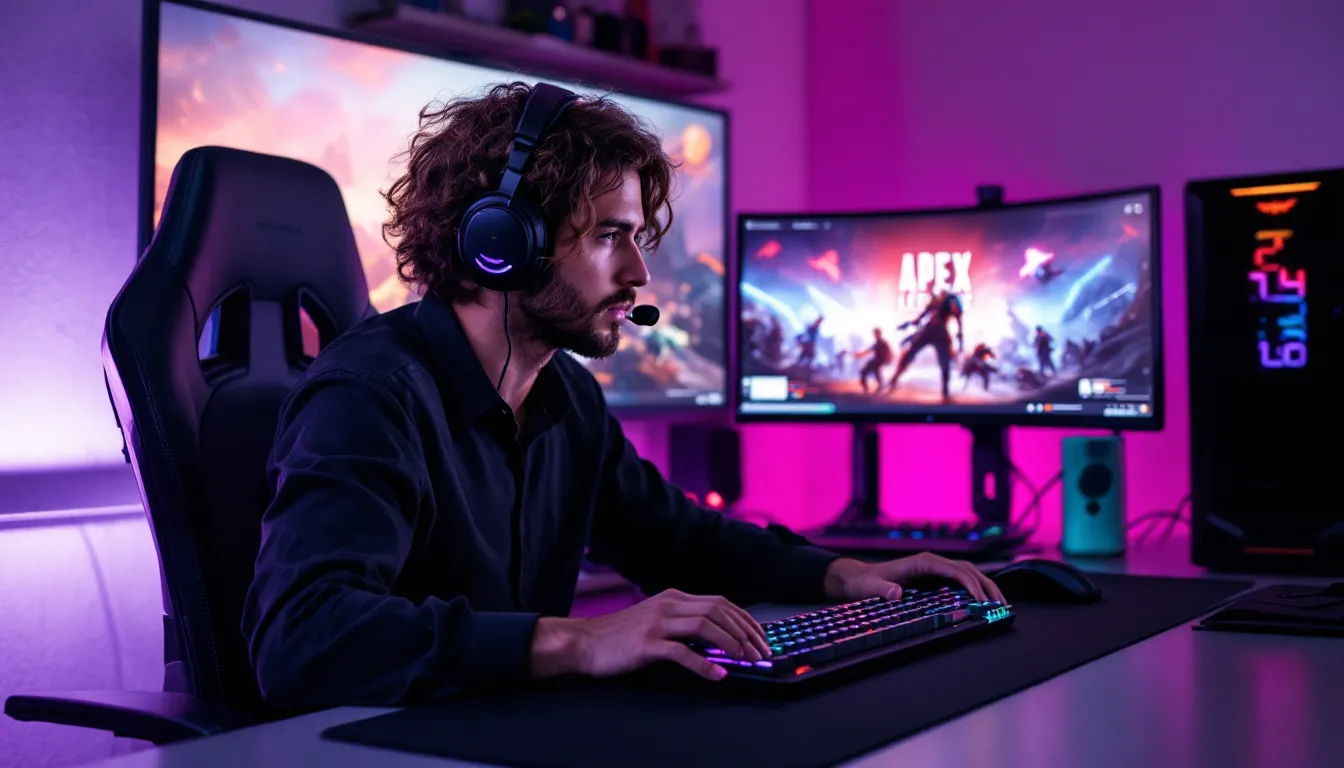
Apex Legends has evolved from a surprise launch sensation into one of the most competitive battle royales on the market. Seven years in, the game’s twitchy movement, instant-death TTK scenarios, and high skill ceiling keep PC players grinding ranked splits and perfecting their tap-strafes. Whether you’re chasing Predator or just looking to survive past the first ring, playing on PC offers distinct advantages, and unique challenges.
This guide covers everything from squeezing extra frames out of your rig to nailing the perfect DPI for tracking enemies mid-slide. We’ll break down which Legends dominate the current meta, how to configure keybinds that won’t slow you down, and what gear actually matters when milliseconds decide fights. Let’s get into it.
Key Takeaways
- Apex PC gaming demands high-refresh monitors (240Hz+), a capable GPU (RTX 3060 or better), and optimized graphics settings prioritizing frames over visuals to maintain 144+ FPS for competitive advantage.
- Master advanced movement tech like tap-strafing, wall-bouncing, and super-glides in the Firing Range to execute high-skill plays unavailable to controller players and separate yourself from lower-rank opponents.
- Configure keybinds to minimize finger travel, bind abilities to mouse thumb buttons, and set your eDPI between 800–1600 based on the PSA Method to maximize aim consistency and tracking accuracy.
- Meta team compositions like the balanced Valkyrie/Catalyst/Horizon trio dominate PC ranked, while legends with high skill ceilings like Pathfinder and Wraith reward precise mouse control and mechanical execution.
- Consistent aim training with tools like Aimlabs or Kovaak’s for 15–20 minutes daily, combined with recoil control drills on the R-301 and Flatline, drives measurable improvement more than raw playtime.
- Reaching Diamond or Predator on PC requires optimized hardware, stable 144+ FPS gameplay, and disciplined practice—the platform’s sweatier lobbies and higher skill ceiling make it the competitive standard for serious climbers.
Why Apex Legends Remains a Top Choice for PC Gamers
Apex Legends sits at the intersection of accessibility and mechanical depth. Unlike some battle royales that lean heavily on positioning or loadout RNG, Apex rewards raw input skill. Movement tech like wall-bouncing, tap-strafing (even after the nerf attempts), and super-glides give keyboard-and-mouse players an edge that’s hard to replicate on controller, unless you’re leveraging aim assist at close range.
The game’s 120Hz and 144Hz+ support means high-refresh monitors translate directly into smoother tracking and faster reaction windows. PC players also benefit from superior recoil control via mouse, which matters when you’re running guns like the R-301 or the Flatline at 50+ meters. The difference between console and PC aim dynamics is stark enough that Respawn keeps input-based matchmaking in ranked.
Beyond raw performance, Apex’s seasonal content cadence and evolving meta keep the game fresh. Season 24 introduced Alter with her portal-focused kit, and recent legend adjustments have shifted power away from scan-heavy comps. Competitive tournaments like ALGS continue to pull massive viewership, and the PC platform dominates the pro scene. If you’re serious about improving or going competitive, PC is the way to play.
System Requirements and PC Optimization for Apex Legends
Minimum vs. Recommended Specifications
Respawn’s official minimum specs will boot the game, but they won’t deliver a playable competitive experience. Here’s what you actually need:
Minimum (60 FPS at 1080p Low):
- CPU: Intel Core i3-6300 / AMD FX-4350
- GPU: NVIDIA GeForce GT 640 / Radeon HD 7700
- RAM: 6GB
- Storage: 56GB (SSD strongly recommended)
Recommended (144 FPS at 1080p Medium-High):
- CPU: Intel Core i5-12400F / AMD Ryzen 5 5600
- GPU: NVIDIA GeForce RTX 3060 / AMD Radeon RX 6600 XT
- RAM: 16GB DDR4
- Storage: NVMe SSD with at least 100GB free (for updates and shader caching)
If you’re targeting 240 FPS for high-refresh play, you’ll want at least an RTX 4060 Ti or RX 7700 XT paired with a six-core CPU clocked above 4.5GHz. Apex is more CPU-bound in chaotic late-game scenarios, so don’t bottleneck your GPU with an aging processor.
Graphics Settings for Competitive Performance
Competitive players prioritize frames over eye candy. Here’s the optimal config for 144+ FPS:
- Display Mode: Full Screen (lower input latency than borderless)
- Resolution: Native 1080p or 1440p (avoid upscaling)
- V-Sync: Off
- Adaptive Resolution FPS Target: Off
- Anti-Aliasing: TSAA (minimal performance hit, reduces jagged edges)
- Texture Streaming Budget: Match your VRAM (6GB for most modern cards)
- Texture Filtering: Anisotropic 4x
- Ambient Occlusion Quality: Disabled
- Sun Shadow Coverage and Detail: Low
- Volumetric Lighting: Disabled
- Dynamic Spot Shadows: Disabled
- Model Detail: High (helps spot distant enemies)
- Effects Detail: Low (reduces visual clutter in fights)
- Impact Marks: Low
- Ragdolls: Low
Enable NVIDIA Reflex Low Latency if you’re on an RTX card, it shaves 10-20ms off system latency in most scenarios. AMD users should explore Radeon Anti-Lag+ for similar benefits. Hardware outlets like Tom’s Hardware have benchmarked these settings extensively, confirming measurable improvements in click-to-render times.
Keep your GPU drivers updated. Both NVIDIA and AMD push Game Ready or Adrenalin drivers that specifically optimize for Apex patches and seasonal updates.
Essential PC Gaming Gear for Apex Legends
Mouse, Keyboard, and Monitor Recommendations
Your peripherals matter more in Apex than in slower tactical shooters. Here’s what to prioritize:
Mouse:
Look for lightweight designs (under 70g) with high-quality sensors. The Logitech G Pro X Superlight 2, Razer Viper V3 Pro, and Finalmouse UltralightX are current favorites among pros. Avoid mice with prediction or angle-snapping, raw 1:1 input is critical for micro-adjustments during tracking.
Keyboard:
Mechanical switches with low actuation force and fast reset speeds help with movement spam. Linear switches (Red, Silver, or Black) are preferred for WASD responsiveness. The Wooting 60HE offers adjustable actuation points via Hall Effect sensors, letting you fine-tune how quickly inputs register. Budget picks like the Keychron V3 or GMMK 2 deliver solid performance without the $200 price tag.
Monitor:
This is where many players underinvest. A 144Hz panel is the baseline: 240Hz or 280Hz displays offer tangible advantages in fast flicks and tracking. Look for:
- Refresh Rate: 240Hz+ (competitive standard)
- Response Time: 1ms GTG or faster
- Panel Type: IPS for color accuracy, TN for raw speed (though modern fast IPS panels close the gap)
- Adaptive Sync: G-Sync or FreeSync to eliminate tearing without V-Sync latency
Popular models include the ASUS ROG Swift PG259QN (360Hz), BenQ Zowie XL2566K (360Hz DyAc+), and Alienware AW2725DF (280Hz QD-OLED).
Headset and Audio Setup for Tactical Advantage
Apex’s audio has been controversial, footstep bugs and inconsistent vertical sound plague the game, but proper gear still gives you an edge. You need accurate stereo imaging to pinpoint enemy locations, not fake surround gimmicks.
Headsets:
Open-back designs offer better soundstage for directional cues. The Sennheiser HD 560S (with a separate mic like the Antlion ModMic) is a favorite among competitive players. Closed-back options like the HyperX Cloud Alpha or SteelSeries Arctis Nova Pro work if you need isolation.
Audio Settings:
In-game, set audio to Stereo (not surround). Crank the master volume to 70-80% and disable music/lobby tracks entirely. Windows Sonic or Dolby Atmos for Headphones can muddy directional cues, stick with stereo output.
Some players swear by external DACs (like the Creative Sound Blaster X4) to boost clarity, though modern motherboard audio is serviceable for most. If you’re deep in ranked and footsteps are life-or-death, the investment pays off.
Best Legends and Team Compositions for PC Play
Top-Tier Legends for Competitive Ranked
The meta shifts every season, but some Legends remain dominant on PC due to high skill ceilings and synergy with precise mouse control.
Pathfinder:
His grapple rewards players who can snap their aim mid-flight. On PC, you can execute ceiling grapples, slingshots, and momentum redirects that are nearly impossible on controller. Pathfinder’s mobility lets you take off-angles and disengage from bad fights instantly.
Horizon:
Her Gravity Lift is a strafe-fest when you’re on mouse. Good Horizon players can heal mid-air while maintaining unpredictable ADAD patterns. She’s a staple in ranked trios and ALGS comps.
Wraith:
Still the most picked Legend in high-tier lobbies. Her Phase is a reliable escape, and her hitbox is among the smallest. Wraith portals enable aggressive rotations or safe repositions when the ring closes.
Catalyst:
Her Ferrofluid walls disrupt sightlines and buy time for resets. In late-game circles, Catalyst can lock down buildings and force enemies into choke points. She’s become a must-pick in coordinated squads.
Valkyrie:
Rotational power wins games. Valk’s Skyward Dive lets teams claim high ground or escape third parties. Her missiles poke at range, and her passive VTOL jets offer vertical mobility that’s hard to counter.
Synergies and Squad Building Strategies
Apex thrives on team synergy. Here are three meta comps that dominate PC ranked and competitive play:
Aggressive Frag Comp:
- Pathfinder / Horizon / Wraith
Focus on fast engagements, quick knocks, and immediate disengages. High mobility means you can third-party fights and escape before fourth parties arrive. This comp demands strong individual mechanics, perfect for confident PC players.
Zone Control Comp:
- Catalyst / Caustic / Wattson
Lock down a building or final ring position and force enemies to push through your utility. Caustic’s gas punishes W-key aggression, Wattson’s fences block doors, and Catalyst walls cut sightlines. Boring to watch, brutal to face.
Balanced Meta Comp:
- Valkyrie / Catalyst / Horizon
Rotation (Valk ult), utility (Catalyst walls), and combat power (Horizon lift). This trio can adapt to any situation, early fights, mid-game rotations, or late-game holdouts. It’s the go-to for ALGS teams and high-ranked trios.
Avoid running three fraggers with no escape tools unless your squad can consistently wipe enemies in under 10 seconds. Third parties are inevitable: plan your comp around disengaging or finishing fights fast.
Advanced PC Controls and Keybind Optimization
Default keybinds are a trap. Competitive players rebind almost everything to minimize finger travel and maximize responsiveness. Here’s a solid starting template:
Movement & Combat:
- Forward/Back/Strafe: W/A/S/D (obviously)
- Jump: Spacebar or Mouse Wheel Down (wheel down lets you spam jump for b-hops)
- Crouch (Hold): Left Ctrl or C
- Crouch (Toggle): Disabled (hold crouch gives more control)
- Sprint: Left Shift or Mouse Thumb Button
- Tactical Ability: Q or Mouse Thumb Button 1
- Ultimate Ability: X or Z (close to movement keys)
- Interact/Pickup: E or F
- Reload: R
- Melee: V or Mouse Thumb Button 2
Inventory & Utility:
- Inventory: Tab
- Swap Weapon: Mouse Wheel Up (fast) or Number Keys (precise)
- Holster Weapon: 3 (for faster sprint speed)
- Grenades: G or Mouse Thumb Button
- Health Item: 4 or Mouse Button
- Shield Item: 5 or Mouse Button
- Ping: Mouse Wheel Click or T
- Ping (Alternate): Middle Mouse or H (for quick enemy pings)
Survivalability Binds:
- Armor Swap (Hold Interact): Enable “Hold to Swap” in settings for faster box looting
- Auto-Sprint: On (frees up a finger)
Many players bind Heal and Shield to thumb buttons for instant access without moving their WASD fingers. If your mouse has extra buttons, use them, every millisecond counts in Apex’s fast TTK.
Test your binds in the Firing Range for at least 15 minutes before jumping into ranked. Muscle memory takes time to build, and you’ll int matches if you’re fumbling for keys mid-fight.
Mastering Movement Mechanics on Keyboard and Mouse
Apex’s movement is what separates it from other BRs. On PC, you can execute advanced tech that controller players simply can’t replicate at the same speed.
Slide-Jumping and B-Hopping:
Chain slides into jumps to maintain momentum. Bind jump to Mouse Wheel Down and flick the wheel as you hit the ground. Proper b-hopping lets you heal while moving at sprint speed, critical for rotating under fire.
Wall-Bouncing:
Approach a wall at an angle, jump, and immediately strafe away while looking in the opposite direction. You’ll bounce off at high speed, changing direction unpredictably. This is devastating in 1v1s and helps you dodge shots mid-fight.
Tap-Strafing:
Respawn nerfed this in 2022, but it’s still effective. Bind forward to Mouse Wheel Up (or use W + Scroll). During a slide jump, scroll forward while simultaneously pressing A or D. You’ll redirect momentum sharply, useful for door plays and corner cuts. Communities on PC-focused gaming forums still debate optimal tap-strafe configs, so experiment to find what clicks.
Super-Glides:
The highest-skill movement tech. As you mantle a ledge, crouch at the exact frame you reach the top, then immediately jump. You’ll launch forward at sprint speed. Timing is frame-perfect, so practice in the Firing Range. Super-glides let you gap-close or escape faster than any ability.
Zipline Dancing:
On ziplines, spam jump and crouch to move erratically. You’ll be harder to hit, and you can bait enemies into wasting ammo. Pair this with heals or shield swaps if you’re disengaging.
Movement separates decent players from Pred-level grinders. Spend time in the Firing Range drilling these techs until they’re second nature. Muscle memory is everything.
Improving Aim and Accuracy on PC
Sensitivity Settings and DPI Configuration
There’s no universal “perfect” sens, but most Apex pros play between 800 DPI / 1.0-2.0 in-game or 1600 DPI / 0.5-1.0. The key is eDPI (effective DPI = DPI × in-game sens), which typically lands between 800-1600 for competitive players.
Lower sens improves tracking and recoil control: higher sens enables faster flicks and movement. If you’re coming from Valorant or CS2, you’ll probably want to raise your sens, Apex demands more vertical aim and 180-degree turns.
Use the PSA Method to find your baseline:
- Set your sens comfortably low.
- Track a moving target in the Firing Range for 30 seconds.
- If your mousepad feels cramped or you’re lifting constantly, raise sens by 10%.
- Repeat until you can track smoothly without running out of pad space.
Disable Windows pointer precision (“Enhance pointer precision” in Mouse Settings). It introduces acceleration that ruins muscle memory. Set your polling rate to 1000Hz for 1ms response time.
Aim Training Tools and Practice Routines
Raw aim practice is non-negotiable for PC players. Here’s a proven routine:
Aim Trainers:
- Aimlabs: Free, Apex-specific scenarios like “Apex Tracking” and “Apex Flicking.”
- Kovaak’s: Premium, deeper customization. Try “Apex Smooth” and “Thin Gauntlet” for tracking.
- Aim Lab’s Apex Task: Mimics in-game recoil patterns and movement speeds.
Spend 15-20 minutes daily on tracking drills. Consistency beats marathon sessions.
In-Game Practice:
Firing Range is your best friend. Grab an R-301, Flatline, or CAR SMG and practice recoil control on the farthest dummy. The Flatline’s horizontal kick is brutal, master it and you’ll beam at 50+ meters.
For close-range hipfire, practice strafing while tracking. Most Apex fights happen within 10 meters, and hipfire accuracy often decides winners.
Warm-Up Routine (10 minutes):
- Five minutes of tracking slow-moving bots in Aimlabs
- Three minutes of Firing Range recoil control (R-301, Flatline, Nemesis)
- Two minutes of wall-bounces and flick shots on dummies
Analysis from TechSpot’s GPU benchmarking shows that players with stable 144+ FPS see measurable aim improvements over 60-90 FPS setups. Frame drops during fights will sabotage your best training efforts, optimize your settings first, then grind aim.
Common PC-Specific Issues and Troubleshooting
Apex on PC isn’t flawless. Here are recurring problems and how to fix them:
Stuttering / Frame Drops:
- Update GPU drivers immediately after every patch.
- Disable Origin/EA App overlay (Settings > Application > Enable Origin In-Game = Off).
- Close Chrome or any browser tabs, they eat VRAM and CPU cycles.
- Cap your FPS slightly below your max to reduce GPU strain (e.g., 237 FPS cap on a 240Hz monitor).
“Connection to Server Timed Out” / Code:net:
Respawn’s servers are notoriously unstable. If you’re getting booted:
- Switch data centers in the main menu (wait 60 seconds on title screen, then click “Data Center” at the bottom).
- Use a wired Ethernet connection instead of Wi-Fi.
- Flush DNS: Open CMD and type
ipconfig /flushdns.
Audio Cutting Out / Missing Footsteps:
This is a known bug. Temporary fixes:
- Set audio output to 44.1kHz in Windows Sound Settings.
- Disable all spatial audio (Windows Sonic, Dolby Atmos).
- Verify game files through EA App or Steam.
Input Lag / Mouse Feels Sluggish:
- Disable V-Sync and any frame limiters in NVIDIA Control Panel or AMD Adrenalin.
- Enable Reflex Low Latency (NVIDIA) or Anti-Lag+ (AMD).
- Run the game in Full Screen, not Borderless.
- Check Task Manager for background processes hogging CPU (Discord hardware acceleration, RGB software, etc.).
Crashes to Desktop:
- Roll back GPU drivers if crashes started after an update.
- Lower texture streaming budget by 1-2GB.
- Disable any overlays (Discord, GeForce Experience, MSI Afterburner).
- Verify game files and repair Easy Anti-Cheat (run EAC installer in your game folder).
If you’re still having issues, the PC gaming coverage community often posts seasonal patch notes and workarounds faster than official support channels.
The Apex Legends PC Competitive Scene in 2026
ALGS (Apex Legends Global Series) is the pinnacle of competitive Apex, and the PC platform dominates every tier. In 2026, the pro scene is healthier than ever, with multi-million dollar prize pools and LAN events across North America, EMEA, APAC, and South America.
Top teams like DarkZero, TSM, FURIA, and Alliance showcase what peak Apex looks like, perfect rotations, instant comms, and zero wasted utility. Watching VODs from PC Gamer’s esports coverage or official ALGS streams is one of the fastest ways to level up your own gameplay. You’ll see how pros abuse map geometry, when to disengage, and how to play final zones without choking.
Ranked Distribution (Season 24):
- Rookie to Gold: 45% of player base
- Platinum: 30%
- Diamond: 18%
- Master: 6%
- Predator: Top 750 players globally
Reaching Diamond on PC is significantly harder than on console due to the input skill ceiling and sweatier lobbies. Pred is a full-time job, most top players grind 8-12 hours daily and have thousands of hours logged.
PC vs. Console in Competitive:
ALGS only allows PC input, which highlights the platform’s competitive integrity. Movement tech, recoil control, and rapid 180s give PC players the tools to outplay in ways controller aim assist can’t compensate for. That said, controller on PC (with aim assist) is viable, some pros hybrid between inputs depending on engagement range.
If you’re serious about going pro or climbing to Pred, PC is non-negotiable. The scene is more active, the talent pool is deeper, and the mechanical ceiling is higher.
Conclusion
Apex Legends on PC is a constant grind, your hardware, peripherals, settings, and raw mechanics all compound into whether you’re fragging out or spectating your squad. The platform offers the highest skill ceiling in the battle royale genre, and that’s exactly why it remains the competitive standard in 2026.
Optimize your rig for frames, dial in your keybinds and sensitivity, and drill movement tech until it’s muscle memory. The difference between a Plat hardstuck and a Diamond climber often isn’t game sense, it’s execution speed and consistency. Aim training, VOD review, and smart legend picks will get you there faster than raw playtime.
Whether you’re chasing ranked glory or just want to dominate casual trios, the fundamentals in this guide will set you up for success. Now get in the Firing Range, warm up, and queue ranked. Good luck out there.