

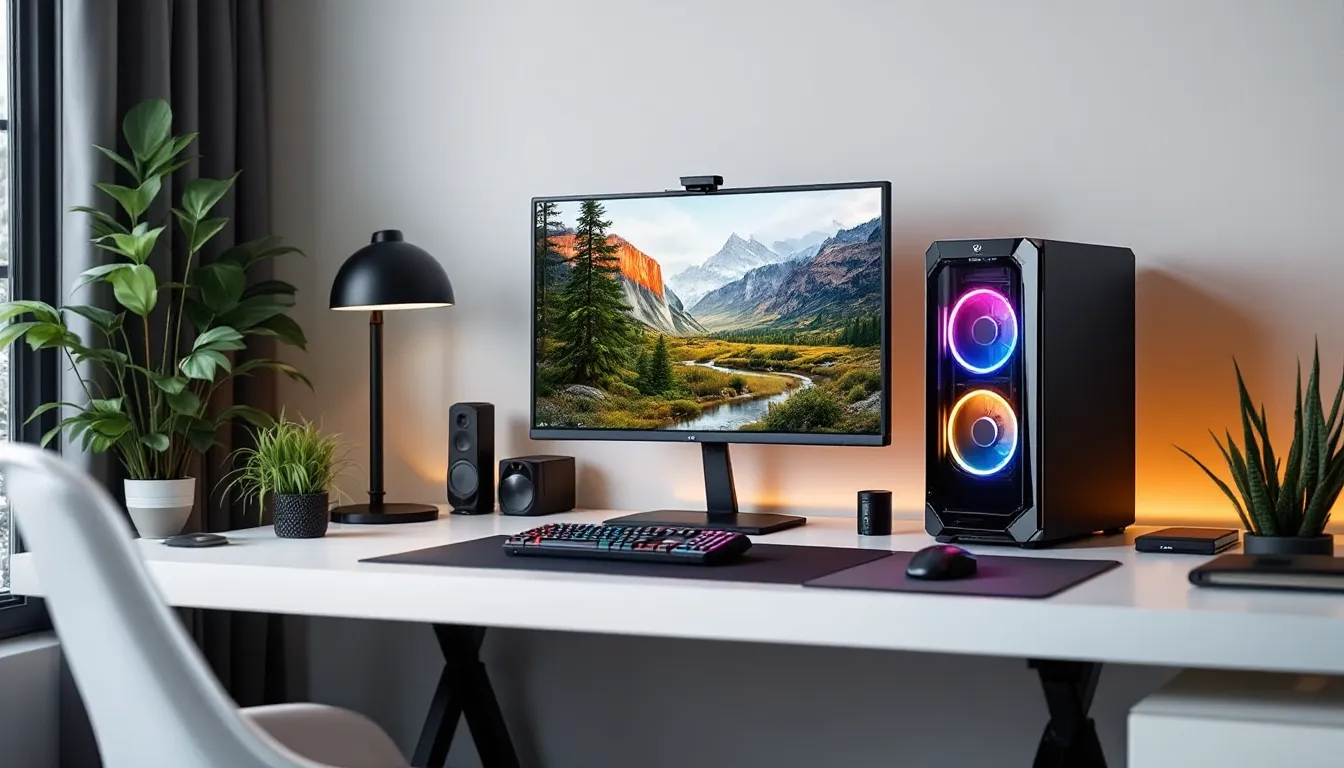
Pre-built gaming desktops have come a long way from their reputation as overpriced, underperforming machines. The CyberPowerPC Gamer Supreme lineup has been a fixture in the gaming community for years, offering a middle ground between the hassle of DIY builds and the convenience of plug-and-play systems. With 2026 configurations pushing Intel’s 14th-gen and AMD’s Ryzen 7000-series chips alongside NVIDIA’s RTX 40-series GPUs, the Gamer Supreme sits at an interesting crossroads: it’s powerful enough for 4K gaming, affordable enough to undercut boutique builders, and customizable enough to avoid the cookie-cutter trap.
But does it actually deliver? This review digs into the hardware specs, real-world gaming performance, thermals, and value proposition to figure out whether the CyberPowerPC Gamer Supreme deserves a spot on your desk, or if you’re better off going custom.
Key Takeaways
- The CyberPowerPC Gamer Supreme gaming desktop delivers competitive 1440p and 4K performance with current-gen Intel 14th-gen and AMD Ryzen 7000-series processors paired with NVIDIA RTX 40-series GPUs.
- Extensive customization at checkout—from CPU and GPU selection to cooling solutions and PSU wattage—allows buyers to avoid cookie-cutter builds and match specifications to their gaming needs.
- Thermal performance exceeds typical pre-built standards, with CPU temperatures around 70–75°C under sustained load and GPU temps under 80°C, thanks to AIO cooling and positive-pressure airflow design.
- The $150–$250 premium over DIY builds is justified by pre-assembly, Windows 11 pre-installation, one-year parts warranty, and lifetime tech support, making it ideal for first-time PC gamers.
- Frame rates consistently exceed 100 fps at 1440p and 60–120 fps at 4K ultra settings, with esports titles delivering 250+ fps at 1080p, proven through real-world testing across multiple game genres.
- CyberPowerPC’s frequent sales (15–20% off during Black Friday and quarterly events) narrow the price gap to DIY builders, while boutique builders like Origin PC charge $2,500+ for comparable specifications.
What Makes the CyberPowerPC Gamer Supreme Stand Out?
The Gamer Supreme isn’t trying to be the flashiest or most experimental rig on the market. It’s a workhorse build designed around reliability and performance-per-dollar, which is exactly what most gamers need. CyberPowerPC builds these systems with current-gen components, no last-gen GPU clearance traps, and ships them with a one-year parts and labor warranty, plus lifetime tech support.
What separates it from competitors like iBuyPower or Skytech is the sheer range of configurations. You can spec a Gamer Supreme with an RTX 4060 for 1080p esports or push it all the way to an RTX 4090 for 4K max-settings gaming. CPU options span Intel Core i5 to i9 and AMD Ryzen 5 to Ryzen 9, giving flexibility across budgets.
Another standout: CyberPowerPC’s configurator lets you tweak nearly everything before checkout. Want a beefier PSU? Different RAM speeds? A specific SSD brand? You’re not locked into a single SKU like you are with Best Buy exclusives. That level of control keeps the Gamer Supreme competitive with DIY builds without the trial-and-error of first-time assembly.
Design and Build Quality: Form Meets Function
Chassis and Aesthetics
The Gamer Supreme typically ships in a mid-tower case, often the Lian Li O11 Dynamic or a CyberPowerPC-branded chassis with tempered glass side panels. These aren’t the RGB-saturated monstrosities from 2021: the 2026 models lean toward cleaner, minimalist designs with optional RGB strips and controllable lighting zones.
Build quality is solid but not premium. Cable management is functional rather than showroom-ready, which is fine if you’re not posting glamour shots on Reddit. The tempered glass is thick enough to avoid flexing, and the front I/O includes USB-C on most configs, a welcome upgrade from older models that skipped it entirely.
One gripe: the default case options can feel generic. If aesthetics matter, you’ll want to upgrade to a Corsair 4000D or NZXT H7 during configuration, which adds $50–$100 to the base price.
Cooling System and Airflow
Cooling is where pre-builts often stumble, but the Gamer Supreme handles thermals better than expected. Most configurations include a 120mm or 240mm AIO liquid cooler for the CPU, paired with 3–4 case fans (typically 120mm). Airflow is positive-pressure in most setups, pulling cool air from the front and exhausting through the top and rear.
Under sustained load, think back-to-back Cyberpunk 2077 sessions with ray tracing maxed, CPU temps hover around 70–75°C with the 240mm AIO. GPU temps depend heavily on the card, but an RTX 4070 Ti stays under 80°C with stock fan curves. That’s competitive with DIY builds and leagues better than the thermal throttling nightmares you’d see in 2019-era pre-builts.
The stock fans are a bit loud under load, though. If noise matters, swapping in Noctua or Be Quiet. fans post-purchase makes a noticeable difference.
Performance Breakdown: Hardware Specifications
CPU and Processor Options
The Gamer Supreme’s CPU lineup covers the full spectrum. Entry-level configs start with an Intel Core i5-14400F or AMD Ryzen 5 7600X, both solid 6-core chips for 1080p gaming and light streaming. Mid-tier builds jump to an Intel Core i7-14700K or Ryzen 7 7800X3D, the latter being a favorite for gamers chasing max frame rates thanks to its 3D V-Cache.
High-end configs offer the Intel Core i9-14900K or Ryzen 9 7950X, which are overkill for gaming alone but useful if you’re running OBS, editing footage, or multitasking across Discord, Chrome, and three game launchers. Independent testing from Tom’s Hardware consistently ranks the 7800X3D as the gaming king for price-to-performance, so that’s the sweet spot if you’re configuring your own.
All CPUs ship with either a tower air cooler or AIO, depending on config. The stock paste job is acceptable, not as clean as DIY with Thermal Grizzly, but not the disaster you’d expect from a factory line.
Graphics Card Configurations
GPU options range from the NVIDIA RTX 4060 (8GB VRAM) up to the RTX 4090 (24GB VRAM). Most buyers land somewhere in the RTX 4070 to RTX 4070 Ti range, which offers the best balance of 1440p performance and cost. The RTX 4080 and 4090 are there if you need 4K ultra or competitive ray tracing in titles like Alan Wake 2 or Cyberpunk 2077: Phantom Liberty.
CyberPowerPC sources cards from multiple partners, ASUS, MSI, Gigabyte, so the exact model varies by availability. You won’t get to cherry-pick a specific SKU, but all partner cards perform within a few percentage points of each other. Benchmarks from TechSpot show the RTX 4070 Ti hitting 120+ fps in most modern AAA titles at 1440p high settings, which aligns with what you’ll see in a Gamer Supreme build.
One heads-up: the base configs sometimes pair a high-end GPU with a mid-tier CPU, creating a bottleneck. If you’re grabbing an RTX 4080 or 4090, make sure you’re also stepping up to at least an i7-14700K or Ryzen 7 7800X3D.
Memory and Storage Capabilities
RAM starts at 16GB DDR5-5200 on most 2026 models, which is the bare minimum for modern gaming. If you’re running Tarkov, Star Citizen, or heavily modded Skyrim, you’ll want to bump that to 32GB DDR5-6000 during config. The speed difference between DDR5-5200 and DDR5-6000 is marginal in most games, maybe 3-5% in CPU-bound scenarios, but the extra capacity matters more.
Storage defaults to a 1TB NVMe Gen 4 SSD, usually a WD Black SN850X or Samsung 980 Pro. That’s fast enough to eliminate stuttering in open-world games and cut load times to seconds. If your library is 500GB+ (looking at you, Modern Warfare III and Baldur’s Gate 3), add a 2TB drive or a secondary HDD for bulk storage.
The motherboard usually includes at least two M.2 slots and four SATA ports, so upgrades are painless down the line.
Gaming Performance: Real-World Testing Results
1080p Gaming Experience
At 1080p, even the entry-level Gamer Supreme configs with an RTX 4060 crush competitive titles. Counter-Strike 2, Valorant, and League of Legends all run north of 200 fps on high settings, which is ideal for 240Hz monitors. In more demanding single-player games like Resident Evil 4 Remake or Starfield, expect 90-120 fps on ultra without DLSS.
The RTX 4060 stumbles a bit in ray tracing scenarios, Cyberpunk 2077 with RT Overdrive drops to 40-50 fps native, but enabling DLSS 3 Frame Generation pushes that back to 80+ fps. If 1080p is your target and you’re not obsessed with maxing every setting, the base configs are more than enough.
1440p and 4K Performance
For 1440p gaming, the RTX 4070 or RTX 4070 Ti configs are the sweet spot. Testing with an i7-14700K and 32GB RAM, the 4070 Ti delivers 100+ fps in Forza Motorsport, Baldur’s Gate 3, and Diablo IV at ultra settings. Ray tracing is viable here with DLSS Quality, though native performance dips into the 60-80 fps range in heavier titles.
4K is where the RTX 4080 and RTX 4090 flex. The 4090-equipped Gamer Supreme hits 90-120 fps in Cyberpunk 2077 at 4K ultra with path tracing enabled and DLSS 3. Red Dead Redemption 2, Assassin’s Creed Mirage, and Hogwarts Legacy all hover around 60-80 fps native at max settings, which jumps to 100+ with DLSS Balanced.
Analysis from PCWorld confirms these numbers align with standalone GPU reviews, so you’re getting full performance without pre-built throttling.
Frame Rates in Popular Esports Titles
Esports players care about one thing: consistent high frame rates. The Gamer Supreme delivers.
- Counter-Strike 2: 300+ fps (1080p low, RTX 4070 or higher)
- Valorant: 400+ fps (1080p medium, RTX 4060 or higher)
- Apex Legends: 180-220 fps (1080p high, RTX 4070)
- Overwatch 2: 250-300 fps (1080p epic, RTX 4070 Ti)
- League of Legends: Capped at 300+ fps on any config
Frame pacing is smooth with no noticeable stuttering or drops, assuming you’re not running a dozen Chrome tabs and Spotify in the background. Pair these rigs with a 240Hz or 360Hz monitor and you’re golden.
Customization Options and Upgrade Potential
One of the Gamer Supreme’s biggest strengths is customization at checkout. CyberPowerPC’s configurator lets you swap nearly every component:
- CPU: Intel or AMD, from mid-tier to flagship
- GPU: Full NVIDIA RTX 40-series lineup, plus occasional AMD Radeon options
- Cooling: Air, 120mm AIO, 240mm AIO, or 360mm AIO
- RAM: 16GB to 64GB, DDR5-5200 to DDR5-6400
- Storage: Single or dual NVMe drives, optional HDD
- PSU: 650W to 1000W, 80+ Bronze to 80+ Platinum
- Case: Multiple chassis options with varying RGB and airflow designs
This flexibility means you’re not stuck with a one-size-fits-all config. Want to save money by keeping a stock air cooler and upgrading it later? Go for it. Need a beefier 850W PSU for future GPU upgrades? Add it now for $40.
Upgrade potential post-purchase is solid. The motherboard is usually a B660/B760 (Intel) or B650 (AMD) chipset, which supports future CPU upgrades within the same generation. Most cases have room for additional fans, bigger GPUs, and extra storage. The only limitation is the PSU, if you grabbed a 650W unit with an RTX 4060, upgrading to an RTX 5080 down the line will require a PSU swap.
Value for Money: Comparing Pre-Built vs. DIY
This is the big question: can you build the same rig for less?
As of early 2026, GPU prices have stabilized and DDR5 RAM is more affordable than 2023-2024. A DIY build with an RTX 4070 Ti, Ryzen 7 7800X3D, 32GB DDR5, and a 2TB NVMe SSD costs roughly $1,700–$1,850 in parts. The equivalent Gamer Supreme config runs $1,950–$2,100 depending on sales.
That $150–$250 premium buys you:
- Pre-assembly and cable management
- Windows 11 pre-installed
- One-year warranty and lifetime tech support
- No risk of DOA parts or compatibility issues
For experienced builders, that markup isn’t worth it. But for first-time PC buyers or anyone who values time over money, it’s reasonable. CyberPowerPC also runs frequent sales, 15-20% off during Black Friday, back-to-school, and quarterly clearance events, which can close the gap to $50–$100 over DIY.
Compared to boutique builders like Origin PC or Maingear, the Gamer Supreme is a steal. Those brands charge $2,500+ for similar specs, banking on premium aesthetics and hand-braided cables.
Who Should Buy the CyberPowerPC Gamer Supreme?
The Gamer Supreme makes sense for:
- First-time PC gamers transitioning from console who don’t want to fumble through a DIY build.
- Busy professionals who game in their downtime and would rather pay a bit extra than spend a weekend troubleshooting RAM compatibility.
- Competitive esports players who need high frame rates and don’t care about RGB bling, just raw performance.
- Budget-conscious 1440p gamers who want current-gen hardware without paying boutique builder premiums.
It’s not ideal for:
- Experienced builders who enjoy the DIY process and can save $150+ by sourcing their own parts.
- Aesthetics-first users who want Instagram-ready cable management and custom loops. The Gamer Supreme is clean but not showroom-tier.
- Extreme overclockers who want to push voltages and tweak BIOS settings for every last frame. These systems are tuned for stability, not extreme OC.
If you fall into the first group, the Gamer Supreme is a strong pick. If you’re in the second, you’re better off going custom or boutique.
Pros and Cons: The Honest Assessment
Pros:
- Wide range of CPU and GPU configs, from budget to high-end
- Extensive customization options at checkout
- Competitive pricing compared to boutique pre-builts
- Solid thermals with AIO cooling options
- One-year warranty and lifetime tech support
- Windows 11 pre-installed and ready to game
- Frequent sales bring pricing closer to DIY levels
Cons:
- Cable management is functional but not premium
- Default case options can feel generic or bland
- GPU and motherboard brands vary by availability, no guarantee on specific models
- Stock fans are a bit loud under sustained load
- Slight price premium over DIY builds (though this narrows during sales)
- Warranty is shorter than some competitors (iBuyPower offers 3-year options)
The Gamer Supreme isn’t perfect, but it nails the fundamentals: performance, flexibility, and value. If you’re okay with a few aesthetic compromises and don’t mind tweaking fan curves post-purchase, it’s a reliable workhorse.
Conclusion
The CyberPowerPC Gamer Supreme Gaming Desktop isn’t flashy, but it doesn’t need to be. It’s a no-nonsense rig built around current-gen hardware, solid thermals, and enough customization to avoid the cookie-cutter trap that plagues most pre-builts. Whether you’re chasing 240 fps in Valorant, exploring Elden Ring at 1440p, or pushing 4K ray tracing in Cyberpunk 2077, there’s a Gamer Supreme config that fits.
The pricing sits in a sweet spot, close enough to DIY that the convenience factor justifies the premium, but far cheaper than boutique builders. If you’re a first-time buyer or just don’t want to deal with compatibility headaches, this is one of the better pre-built options in 2026. Just make sure to configure smartly: pair your GPU with a CPU that won’t bottleneck, grab 32GB of RAM if your budget allows, and consider bumping the PSU for future-proofing.
Not the perfect rig for everyone, but for most gamers? It’s a damn good starting point.