

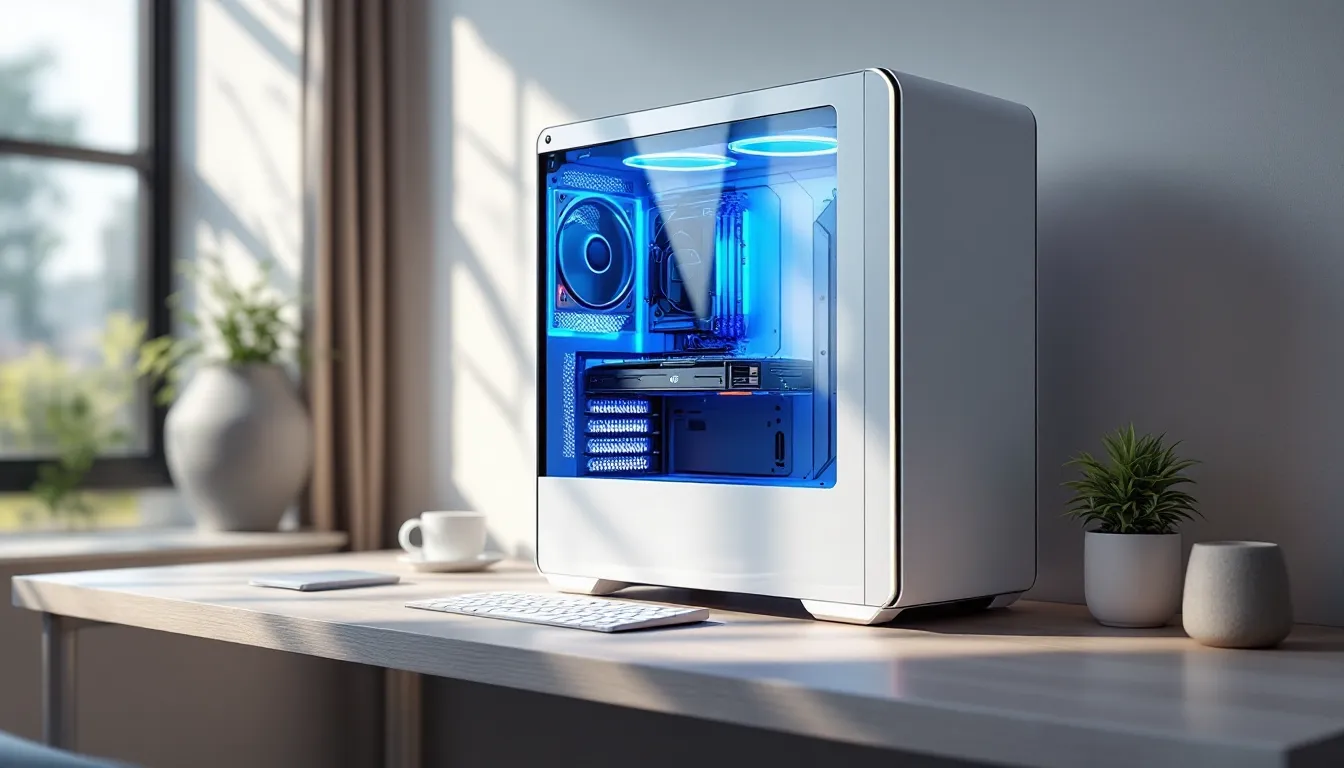
White gaming PC cases have gone from niche aesthetic choice to mainstream dominance, and if you’ve scrolled through any PC build subreddit or Discord lately, you’ve seen why. The clean, minimalist look pairs perfectly with modern RGB setups, and manufacturers have finally caught on, releasing everything from budget-friendly options to premium tempered glass showpieces. Whether you’re planning your first build or upgrading from a battle-worn black tower, choosing the right white case involves more than just looks. You’ll need to balance airflow, build quality, size, and cable management while keeping your budget in check. This guide breaks down everything you need to know about white gaming PC cases in 2026, from the features that actually matter to specific recommendations across every price point and form factor.
Key Takeaways
- White gaming PC cases showcase RGB lighting 30-40% more luminously than black interiors due to light reflection, allowing you to achieve vibrant effects at lower brightness settings.
- A white gaming PC case demands mesh front panels and proper fan mounting (3x120mm front intake, 2x140mm top ventilation) to prevent thermal throttling on high-power GPUs and CPUs.
- Mid-tower white cases priced between $100-180 offer the best balance of build quality, airflow, and cable management features for 95% of gaming builds.
- White cases show every fingerprint and dust particle; implement monthly cleaning with compressed air, microfiber cloths, and distilled water to maintain their pristine appearance and prevent yellowing from UV exposure.
- Prioritize case fundamentals like airflow, cable routing space, and panel thickness (0.6-0.8mm steel) over aesthetics to ensure your white gaming PC case performs reliably for years.
- Match component colors strategically—white or RGB fans work best in white cases, while a black GPU backplate or shroud provides intentional contrast without compromising the clean aesthetic.
Why White Gaming PC Cases Are Taking Over in 2026
The shift toward white PC cases isn’t just a trend, it’s a full-blown movement that’s reshaped how gamers think about desktop aesthetics. Walk into any gaming hardware store or browse online retailers, and you’ll find white variants of nearly every popular case model. But this popularity stems from more than just following what’s hot.
The Aesthetic Appeal of White Cases
White cases deliver a clean, modern look that fits into almost any room setup without screaming “gamer cave.” Unlike aggressive black towers with angular designs and red accents, a white case can blend into a minimalist bedroom, a professional home office, or a streaming setup without clashing.
The minimalist aesthetic works especially well for content creators and streamers who need their setup to look camera-ready. A white case creates a neutral backdrop that doesn’t distract from the person on screen, while still looking intentional and premium. Plus, white cases photograph and stream better under studio lighting, they don’t create the harsh shadows that black cases can produce.
There’s also the customization angle. White acts as a blank canvas for themed builds. Want an all-white stealth build? Easy. Want to add accent colors with custom cables or RGB strips? White makes those colors pop without competing for attention.
Better RGB and Lighting Showcase
Here’s where white cases genuinely outperform their darker counterparts: RGB showcase. The interior white coating reflects light instead of absorbing it, making your RGB fans, RAM, and GPU lighting appear brighter and more vibrant.
In side-by-side comparisons with black interiors, white cases can make the same RGB setup look 30-40% more luminous. This means you can actually run your RGB at lower brightness settings and still get that eye-catching glow, which can extend LED lifespan and reduce potential power draw (minimal, but it’s there).
The reflection effect also fills dark spaces inside your case with ambient light. Those shadowy corners in a black case? In a white case, they catch reflected RGB wash, creating a more cohesive, filled-out look. This is particularly noticeable with addressable RGB (ARGB) setups where you’re running lighting effects, the white interior amplifies the entire light show.
Key Features to Look for in a White Gaming PC Case
Not all white cases are created equal. Some manufacturers slap white paint on an existing design and call it a day, while others engineer specifically for optimal performance. Here’s what separates the solid choices from the dust-collecting paperweights.
Airflow and Cooling Performance
Mesh vs. solid front panels is the most critical decision. A white case with a solid glass or steel front panel might look sleek, but it’ll choke your components if you’re running a high-TDP CPU or GPU. Modern GPUs can pull 300-450W under load, and current-gen CPUs like the Ryzen 9 or Intel Core i9 series can easily hit 200W+.
Look for cases with mesh front panels or substantial ventilation cutouts. Brands like Fractal Design, Lian Li, and Corsair have nailed this balance in their white offerings. A proper mesh design can drop GPU temps by 10-15°C compared to a restricted airflow case, that’s the difference between stable boost clocks and thermal throttling.
Fan mounting options matter just as much. Check for:
- Top panel ventilation: At least 2x120mm or 2x140mm mount points
- Front intake capacity: 3x120mm or 2x140mm minimum
- Rear exhaust: Standard 120mm mount
- Bottom intake option: Useful for GPU fresh air if you’re running a full-length card
Some 2026 cases now support dual-chamber designs where the PSU and cable management sit in a separate compartment. This improves thermal separation and looks cleaner, but adds to the case footprint.
Build Quality and Materials
White cases typically use three material approaches:
Painted steel is the most common and budget-friendly. Quality varies wildly, premium paint jobs resist chipping and feel smooth, while cheaper applications can flake off during builds or show uneven coverage. Check reviews for paint quality complaints.
Powder-coated steel offers better durability. The powder coat process creates a tougher finish that resists scratches and chips better than standard paint. Expect this on mid-range to premium cases ($80+).
Plastic accent panels appear on budget cases to keep costs down. They’re not inherently bad, high-quality ABS plastic can look decent, but they won’t age as well as metal and can yellow over time.
Panel thickness matters for rigidity. Cheap cases use thin steel that flexes when you pick them up, which can misalign mounting points or crack tempered glass. Look for 0.6-0.8mm steel thickness as a baseline (specs sometimes list this as gauge).
Cable Management Options
A white case’s clean exterior only works if the interior isn’t a rat’s nest of cables. Essential cable management features include:
Rubber grommets at cable routing points protect wires from sharp edges and give a finished look. White or black grommets both work, white blends in, black creates intentional contrast.
PSU shrouds are non-negotiable. They hide the power supply and its cable spaghetti while providing a clean horizontal line across the bottom of the case. Some premium models include white PSU shrouds with built-in RGB diffusers.
Rear chamber space should offer at least 20-25mm for cables. Modern builds with individually sleeved cables or white cable extensions need that room. Skimping here means a bulging side panel or visible cable pressure against the tempered glass.
Velcro straps or tie-down points help route and secure cables. Count the number of tie-down points in reviews, you want at least 8-10 for a clean build.
Glass Panel Types and Visibility
Tempered glass has become standard, but implementation varies. Key considerations:
Tint level: Fully clear glass shows off your build best but also shows every cable imperfection. Lightly tinted glass (5-10% tint) hides minor flaws while still showing components. According to Tom’s Hardware testing, lightly tinted panels can also reduce RGB glare in darker rooms.
Panel mounting: Thumbscrews are easy but add visible mounting points. Tool-less latching systems look cleaner but can be finicky. Magnetic mounts (rare) offer the best of both worlds but cost more.
Dual glass options: Some premium cases offer both side and front glass panels. These maximize visibility but require excellent internal cable management and component placement.
Check for anti-shatter backing on the tempered glass. Quality manufacturers apply a film that holds shattered glass together if the panel breaks, a safety feature worth having.
Best White Gaming PC Cases by Category
The white case market has exploded with options across every price point. Here are the standouts in 2026, broken down by budget and use case.
Best Budget White Gaming Cases
NZXT H5 Flow White ($75-85)
- Mid-tower with excellent mesh airflow
- Includes 2x120mm fans, supports up to 7 total
- Simple cable management with velcro straps
- Minor compromise: painted steel shows fingerprints easily
Montech AIR 903 MAX White ($70-80)
- Four pre-installed ARGB fans
- Full mesh front panel with removable filter
- Surprising build quality for the price
- Trade-off: basic cable management features
Cooler Master TD300 Mesh White ($65-75)
- Compact mid-tower footprint
- Mesh front and top
- Supports 280mm AIO in front
- Limitation: tighter clearances for large GPUs (320mm max)
Best Mid-Range White Cases
Lian Li Lancool 216 RGB White ($125-140)
- Dual-chamber design separates PSU/drives
- Includes 2x200mm ARGB front fans
- Excellent cable management with 25mm rear clearance
- Supports up to 360mm radiators
Fractal Design Torrent Compact White ($160-180)
- Airflow beast with 2x180mm front fans
- PWM fan hub included
- Thick tempered glass with minimal tint
- Best for: High-performance air-cooled builds
Corsair 4000D Airflow White ($105-120)
- Proven design with massive community support
- Mesh front panel, includes 2x120mm fans
- RapidRoute cable management system
- Modular drive bays
Phanteks Eclipse G360A White ($110-130)
- Digital RGB lighting integrated into frame
- Includes 3x120mm D-RGB fans
- Vertical GPU mount compatible (bracket sold separately)
- Clean white interior coating
Best Premium White Gaming Cases
Lian Li O11 Dynamic EVO White ($180-220)
- Iconic dual-chamber design
- Supports up to 3x360mm radiators simultaneously
- Modular interior with reversible door
- Vertical and horizontal GPU mounting
- Premium build quality with powder-coated steel
Hyte Y60 White ($200-230)
- Unique panoramic glass design with angled front panel
- Becomes the centerpiece of any setup
- Riser cable included for vertical GPU
- Excellent for display builds
- Warning: Airflow is good but not exceptional, prioritize AIO cooling
Fractal Design North XL White ($150-170)
- Natural wood front panel accent (walnut or oak)
- Premium Scandinavian design aesthetic
- Exceptional cooling with open-face design
- Includes 3x140mm fans
- Best for: Someone who wants performance and living room-ready looks
Best Compact and Mini-ITX White Cases
SSUPD Meshlicious White ($110-130)
- Ultra-compact 14.7L volume
- Full mesh panels for SFF cooling
- Supports 280mm AIO and full-size GPUs
- Vertical layout saves desk space
- Challenge: Requires planning for cable management in tight spaces
Lian Li Dan A4-H2O White ($140-160)
- 11.1L volume with 240mm AIO support
- Clean sandwich layout
- Supports GPUs up to 323mm
- PCIe 4.0 riser included
Cooler Master NR200P White ($90-110)
- SFF favorite with proven track record
- Tempered glass or vented panel options
- Supports dual 120mm AIOs or tower coolers up to 155mm
- Massive GPU clearance (330mm) for the size
- Best value in compact white cases
White Case Size Options: ATX, Mid-Tower, and Mini-ITX Explained
Form factor determines compatibility, desk space requirements, and expansion capability. Here’s how to choose the right size for your needs.
Full Tower White Cases
Full towers measure roughly 22-24 inches tall and support E-ATX motherboards (typically 12″x13″ or larger). These are overkill for most gamers but necessary for specific builds:
When you need full tower:
- Running dual GPUs (rare in gaming, but exists for AI/rendering workloads)
- Custom water cooling loops with multiple radiators
- Excessive storage needs (8+ drives)
- Extreme overclocking with large radiators (480mm+)
Popular options:
- Corsair 7000D Airflow White ($250-280): Supports up to 10 fans, 3x360mm radiators
- be quiet. Dark Base Pro 901 White ($280-320): Modular interior, silent-focused design
Full towers dominate your desk and weigh 25-35 lbs empty. Only go this route if your build genuinely needs the space.
Mid-Tower White Cases
Mid-towers are the sweet spot for 95% of gamers. They measure 18-20 inches tall, support ATX and Micro-ATX motherboards, and handle modern components without excess bulk.
Standard clearances in quality mid-towers:
- GPU length: 320-380mm
- CPU cooler height: 165-170mm
- PSU length: 200mm+ (some cases 250mm+)
- Radiator support: 240-360mm front, 240-280mm top
Ideal for:
- Single GPU gaming builds
- 240-360mm AIO coolers
- Standard ATX motherboards (most gaming boards)
- 4-6 storage drives
Most cases featured in the previous section are mid-towers because they balance capability with reasonable size. A mid-tower sits comfortably on or beside a desk without dominating the space.
Mini-ITX and Compact White Cases
Mini-ITX cases support only Mini-ITX motherboards (6.7″x6.7″) and typically measure under 15L in volume. They require more planning but deliver unmatched desk space efficiency.
Trade-offs with SFF builds:
- Limited to 2 RAM slots (16-32GB max, though DDR5 makes this less painful)
- Fewer PCIe slots (GPU only, usually)
- Tighter thermal constraints (though modern SFF cases have improved dramatically)
- Cable management becomes critical, no room for slack
- Usually more expensive per liter than larger cases
Benefits:
- LAN party friendly (actually portable)
- Desk space saved for monitors/peripherals
- Forces efficient, thoughtful component selection
- Looks impressive when done well
Compact cases shine for specific users: apartment dwellers, frequent LAN attendees, or anyone with limited desk real estate. Recent reviews on PC Gamer highlighted how 2026 SFF cases have closed the thermal gap with mid-towers through better mesh designs and optimized layouts.
Just know that building in SFF requires patience. You’ll need to test-fit components, potentially use flat cables or custom lengths, and accept that upgrades are less straightforward.
Building Your White Gaming Setup: Component Matching Tips
A white case deserves a coordinated interior. Here’s how to extend the aesthetic through component selection without very costly or compromising performance.
Choosing White or RGB Fans
Case fans set the visual tone. You’ve got three approaches:
All-white fans create the cleanest look. Brands like Lian Li UNI FAN SL-INF (white edition), Corsair iCUE QL120 RGB White, and Arctic P12 PWM PST White offer solid performance with white frames and blades.
- White static pressure fans (for radiators/restricted intake): Look for 2.0+ mmH₂O pressure rating
- White airflow fans (for exhaust/open mounting): Prioritize CFM over pressure
- Price range: $12-30 per fan depending on RGB features
Black fans in white cases can work if you’re going for contrast. All-black Noctua NF-A12x25 or be quiet. Silent Wings 4 fans look intentional against white interiors, not like a mismatch.
RGB fans with white frames offer maximum flexibility. You can run white static lighting for the clean look or switch to rainbow mode when you’re feeling it. The Lian Li UNI FAN SL120 V2 White and Corsair QL120 RGB White are popular because they include white sleeves/shrouds that look good even when RGB is off.
Pro tip: Match fan ecosystems. If you start with Lian Li fans, stick with their system, mixing brands means multiple RGB controllers and software, which gets messy fast.
Matching Motherboards and GPUs
Motherboards with white PCBs or shrouds have become more common. Options include:
White motherboard options (2026):
- ASUS ROG Strix Z890-A Gaming WiFi (ATX, white/silver theme)
- NZXT N7 Z890 White (ATX, full white PCB)
- ASRock B650M PG Riptide WiFi White (Micro-ATX, AMD)
- Gigabyte B760M AORUS Elite AX Ice (Micro-ATX, white accents)
White motherboards cost $20-50 more than equivalent models with standard PCBs. Worth it if you’re committed to the aesthetic, but not mandatory, black motherboards with RGB work fine in white cases.
GPU options are trickier. Few manufacturers produce all-white graphics cards, and when they do, availability is limited. Your options:
- Buy a white GPU variant if available (ASUS ROG Strix White editions, Gigabyte Vision series)
- Use a vertical GPU mount to showcase the backplate instead of the PCB side
- Install a GPU backplate or shroud (aftermarket from brands like V1 Tech or custom 3D-printed options)
- Accept a black GPU and let it contrast, honestly looks fine
Performance-wise, white GPUs match their black counterparts. You’re paying for aesthetics, not extra FPS. Benchmark testing from Hardware Times confirms that cooler shroud color has zero thermal impact, it’s the heatsink and fan design that matters.
White Cable Extensions and Sleeving
Cables make or break a clean build. Most PSUs ship with black cables, which stand out harshly in white builds.
Cable extension kits ($30-50) are the easiest solution:
- CableMod Basic Cable Extension Kit White ($35-45)
- Asiahorse Sleeved Cable Extensions White ($30-40)
- Lian Li Strimer Plus V2 White ($60-80, adds RGB to cables)
Extensions slip over your existing PSU cables, adding 6-12 inches of length. They work with any PSU and don’t void warranties.
Full custom cable sets ($80-150) from CableMod or EVGA replace the entire cable run. Benefits:
- Exact length for your case (reduces cable clutter)
- Higher quality sleeving
- Cleaner look at PSU end
Downside: You need to specify your exact PSU model when ordering. Wrong cables can damage components.
DIY sleeving is an option if you’re dedicated and want a truly custom look. Budget $50-100 for supplies (sleeving, heatshrink, tools) plus significant time investment. Only worth it if you enjoy the process.
White vs. off-white cables: Pure white cables can clash with case paint if tones don’t match. Some builders prefer light gray sleeving for a more neutral look that works with various white shades.
Maintaining and Cleaning Your White Gaming PC Case
White cases show every fingerprint, smudge, and dust particle. Regular maintenance keeps them looking showroom-fresh instead of dingy.
Preventing Yellowing and Discoloration
Yellowing happens when UV light and heat break down the polymers in white paint or plastic. To minimize it:
Keep your case out of direct sunlight. UV exposure is the primary culprit. If your desk sits near a window, consider curtains or repositioning the case.
Maintain stable temperatures. Excessive heat accelerates yellowing. A properly ventilated case running cool components will age better than one with poor airflow pushing 80°C+ temps constantly.
Avoid smoking near your PC. Tar and nicotine residue will stain white cases over time. No judgment, just keep the setup in a well-ventilated area away from smoke.
Quality matters upfront. Powder-coated steel resists yellowing better than cheap painted plastic. Those budget cases with white plastic panels? They’ll yellow noticeably within 2-3 years under normal use.
Magnetic dust filters on intake points prevent discoloration from accumulated dust mixing with humidity. Clean filters monthly, remove, tap out dust, wash if needed, let dry completely before reinstalling.
Best Cleaning Products and Techniques
Weekly maintenance (5 minutes):
- Microfiber cloth wipe-down of exterior panels
- Remove/tap out magnetic dust filters
- Quick glass cleaning with microfiber and glass cleaner (Windex works fine)
Monthly deep clean (20-30 minutes):
-
Power down completely and unplug from wall. Press power button a few times to discharge residual power.
-
Remove dust filters and wash with warm water and mild dish soap. Let air dry fully (2-4 hours).
-
Blow out interior with compressed air. Work from top to bottom so dust falls toward the bottom/PSU area. Hold fans while blowing to prevent overspin damage to bearings.
-
Clean glass panels with glass cleaner and microfiber. For stubborn fingerprints: slightly dampen cloth with isopropyl alcohol (70%+).
-
Wipe white surfaces with microfiber cloth dampened with distilled water. For stuck-on grime, use isopropyl alcohol on cloth (not directly on case, prevents runs).
-
Don’t use: Harsh chemicals (bleach, acetone, strong solvents), abrasive scrubbers, or paper towels (scratches tempered glass)
Quarterly maintenance (45+ minutes):
- Remove all panels for thorough cleaning
- Check fan blades for dust buildup (compressed air or cotton swabs with isopropyl)
- Clean PSU dust filter at bottom of case
- Inspect cable management, tighten any loose straps
- Check thermal paste if temps have crept up (reapply if it’s been 2+ years)
Product recommendations:
- Compressed air cans (DataVac Electric Duster if you want a reusable option, $70-100)
- MagicFiber Microfiber Cloths (cheap, lint-free, washable)
- 70% Isopropyl Alcohol for stubborn stains
- Windex or equivalent for glass panels
A well-maintained white case can look nearly new after years of use. The key is consistency, monthly cleaning is easier than scrubbing years of accumulated grime.
Common Mistakes to Avoid When Buying a White Gaming Case
Even experienced builders make these errors when jumping into white cases. Learn from their mistakes:
Prioritizing looks over airflow. That sleek white case with solid front glass might look incredible in product photos, but if it chokes your RTX 5080 or RX 8800 XT, you’ve failed at the core job: keeping components cool. Always check reviews for thermal testing. Cases with poor airflow will thermal throttle your GPU, costing you 10-20% performance under sustained load.
Ignoring interior color. Some “white” cases have black interiors, which defeats the RGB-enhancing benefit. Check product listings carefully, terms like “white chassis with black interior” indicate this. If RGB showcase matters to you, pay the premium for white interior coating.
Buying too small. New builders underestimate component size. That 4090 might be 336mm long. Your AIO radiator might be 315mm with fans. Your CPU cooler might be 168mm tall. Measure everything and compare to case specs before buying. Returning a case because your GPU doesn’t fit is frustrating and wasteful.
Skimping on cable management for a white build. Cable management is ten times more visible through tempered glass in a white case. If you buy a budget white case with minimal cable routing options, you’ll spend hours fighting cables or end up with a messy build that negates the clean aesthetic. Spend the extra $20-30 for a case with proper cable management features.
Not considering fan noise. Some cases prioritize maximum airflow with open mesh designs, which can increase noise. If you’re sensitive to fan noise, look for cases with noise-dampening materials or plan to invest in quieter fans. Silent Wings 4 or Noctua NF-A12x25 fans can make a massive difference in perceived noise levels.
Forgetting about PSU shrouds. A white case without a PSU shroud shows off your power supply and its mess of cables. Unless you have a white or RGB PSU (rare and expensive), you want that shroud hiding it. Most modern cases include this, but some ultra-budget options skip it.
Impulse buying based on aesthetics. That Hyte Y60 looks absolutely stunning, but its panoramic glass design comes with thermal compromises. The Lian Li O11 Dynamic is gorgeous but requires significant investment in fans (most versions include zero). Make sure the case fits your performance requirements, not just your Instagram aesthetic.
Mixing white tones. Not all white is the same. Some cases are bright white, others are off-white or cream. If you’re buying multiple components (case, cables, fans), try to match the same manufacturer or at least buy from places with good return policies so you can check tone matching in person.
Overlooking build quality. Thin painted steel will chip and flake during builds, especially around mounting points and panel edges. Touching up paint chips on white is more visible than on black. Invest in powder-coated steel if your budget allows, it’ll look better longer.
Not planning for expansion. You might be running a single GPU and 240mm AIO now, but what about two years from now? If there’s any chance you’ll upgrade to a larger cooler, add more storage, or expand your setup, buy a case that accommodates growth. Moving a completed build to a new case is a pain.
Conclusion
White gaming PC cases have evolved from boutique novelty to mainstream option with good reason, they look fantastic, showcase RGB better than darker alternatives, and fit into more living spaces without screaming “gaming rig.” But the right white case for your build depends on your specific needs: a compact Mini-ITX case for a desk with limited space operates under different constraints than a full tower for custom water cooling.
The sweet spot for most gamers sits in the $100-180 mid-tower range, where you get legitimate build quality, proper airflow, and enough features to create a clean build without fighting the case. Whether you go budget with something like the NZXT H5 Flow or invest in a premium option like the Lian Li O11 Dynamic EVO, prioritize the fundamentals, airflow, cable management space, and build quality, before getting caught up in aesthetic details.
Remember that a white case is a long-term investment. With proper maintenance and smart component matching, your build will look sharp for years. Just keep it out of direct sunlight, clean it monthly, and enjoy the clean aesthetic that makes every other case on your Discord look dated by comparison.