

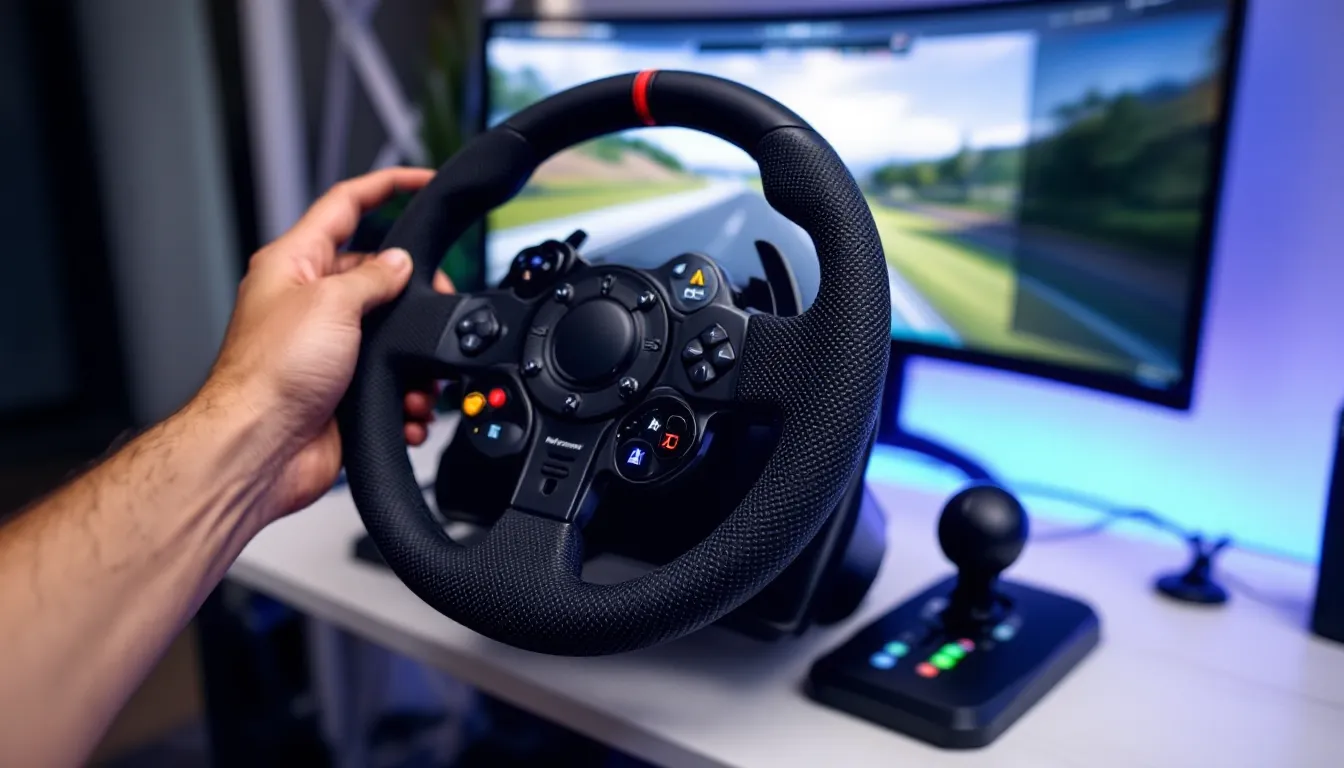
There’s something visceral about feeling a car’s weight shift through corners, the subtle rumble of ABS kicking in, or the violent snap of oversteer, all translated through your hands. A controller or keyboard can’t replicate that. A gaming steering wheel can.
Whether you’re chasing lap times in iRacing, drifting through Tokyo in Forza Horizon 5, or running endurance races in Assetto Corsa Competizione, the right racing wheel transforms racing games from button-mashing into legitimate driving simulation. But with options ranging from $150 entry-level gear-driven wheels to $2,000+ direct drive monsters, choosing the best gaming steering wheel for your setup, budget, and platform can feel overwhelming.
This guide breaks down everything you need to know, from force feedback motors and rotation degrees to pedal configurations and platform compatibility, then delivers specific recommendations across every price tier and use case in 2026.
Key Takeaways
- A quality gaming steering wheel dramatically improves precision and immersion in racing games, offering 900–1,080 degrees of rotation compared to controller thumbsticks and enabling competitive lap-time gains in sim racing.
- Motor type determines performance: gear-driven wheels ($150–$400) suit casual racers, belt-driven wheels ($400–$800) balance quality and cost, while direct drive wheels ($800+) deliver maximum realism for serious sim racers.
- Platform compatibility is critical—PlayStation requires Sony licensing, Xbox requires Microsoft licensing, and PC offers universal compatibility, so verify before purchasing to avoid buying incompatible equipment.
- The best gaming steering wheel choice depends on budget and goals: entry-level racers should start with a Logitech G29/G920 ($200–$250), mid-range users should consider the Moza R9 V2 ($700–$800) or Fanatec CSL DD ($500–$600), and premium users should invest in the Simucube 2 Pro ($1,400+).
- Load cell brake pedals and proper mounting hardware are as important as the wheel base itself; upgrading to load cells yields more performance improvement than upgrading the wheel and prevents stability issues during intense racing.
- Proper calibration and ecosystem investment matter: choose wheels with modular systems (Fanatec, Moza, Thrustmaster) that allow future upgrades to rims, pedals, and shifters rather than closed systems like Logitech’s.
Why Invest in a Gaming Steering Wheel?
A gaming racing wheel isn’t just a peripheral upgrade, it’s a complete shift in how racing games feel and play. The difference between using a controller and a wheel is comparable to switching from keyboard/mouse to a HOTAS in flight sims. You’re not approximating inputs anymore: you’re actually steering.
Precision control is the most immediate benefit. Analog sticks offer roughly 180 degrees of input travel with thumb pressure. A quality racing wheel delivers 900 to 1,080 degrees of rotation with your entire arm controlling input, allowing for the kind of fine adjustments that shave tenths off lap times. You can feel weight transfer through corners, modulate brakes with actual pedal pressure, and catch slides with realistic countersteering.
For competitive sim racers, a wheel isn’t optional, it’s the baseline. Try running competitive laps in iRacing or Gran Turismo 7 Sport mode on a controller, and you’ll consistently lose time in technical sections where precision matters. The top splits in any serious racing sim are 99% wheel users.
Beyond performance, there’s immersion. Force feedback motors communicate road texture, tire grip limits, and mechanical feedback through your hands. You feel understeer as the wheel goes light, oversteer as it tries to spin, and curb impacts as jolts through the rim. Combined with pedals that require actual leg pressure, driving becomes physical in a way no other gaming peripheral can match.
The investment scales with your interest. Entry-level wheels start around $150–$250 and deliver massive improvements over controllers. Mid-range gear ($300–$600) brings stronger force feedback and better build quality. Premium and direct drive setups ($800+) approach real car feel and are built for thousands of hours of use.
What to Look for When Choosing a Gaming Steering Wheel
Force Feedback Technology and Motor Type
The motor determines how a gaming wheel communicates with you. There are three main types:
Gear-driven wheels use plastic or metal gears connected to a motor. They’re affordable and common in budget-to-mid-range wheels ($150–$400). The trade-off is notchy feel, some dead zone at center, and less detail in force feedback. They work great for casual racing but lack the fidelity competitive sim racers want.
Belt-driven wheels replace gears with rubber or synthetic belts, delivering smoother operation and more feedback detail. These sit in the $400–$800 range and represent the sweet spot for serious hobbyists who aren’t ready to jump to direct drive.
Direct drive (DD) wheels eliminate gears and belts entirely, the motor mounts directly to the wheel shaft. This delivers maximum force (10+ Nm torque), zero latency, and insane detail. You feel individual pebbles on gravel stages and tire tread blocks chattering over kerbs. DD wheels start around $800 and climb past $2,000 for top-tier units with 20+ Nm torque.
Rotation Degree and Precision
Rotation range determines how far the wheel turns lock-to-lock. Most modern racing games expect 900 degrees (2.5 full rotations), matching real road cars. Some wheels offer 1,080 degrees for trucks or formula cars with lock-to-lock ratios that differ from standard vehicles.
Cheaper wheels often max out at 270–540 degrees, which feels arcadey and limits precision. Avoid those unless budget absolutely demands it. Adjustable rotation that auto-matches the in-game car is a premium feature worth having.
Pedal Quality and Configuration
Pedals matter as much as the wheel. Two-pedal sets (gas/brake) work for casual use, but serious racing requires a three-pedal set with a clutch for manual shifting and launch control.
Budget pedals use simple potentiometers and light springs, functional but not realistic. Better pedals feature:
- Progressive springs that mimic real brake pressure curves
- Load cell brake sensors that measure pressure instead of travel distance (huge upgrade for consistency)
- Adjustable pedal faces and mounting angles
- All-metal construction for durability
Many wheels ship with basic pedals, and upgrading pedals later often delivers more performance improvement than upgrading the wheel base itself.
Platform Compatibility
This one’s critical and often overlooked. Not all wheels work on all platforms:
- PC has universal compatibility, nearly every wheel works via USB
- PlayStation 5/PS4 requires official Sony licensing. Wheels without it won’t function.
- **Xbox Series X
|
S/One** requires official Microsoft licensing. Again, no license = no function.
- Nintendo Switch has extremely limited wheel support
Some premium wheels offer dual compatibility (PlayStation + PC or Xbox + PC). Universal wheels that work across PlayStation, Xbox, and PC exist but are rare and expensive. Check compatibility before buying, not after.
Build Quality and Durability
A quality wheel gets mounted, calibrated, and used for years. Cheap plastic housings crack under force feedback stress. Flimsy mounting clamps slip during hard cornering. Pedals with plastic internals wear out in months.
Look for:
- Metal pedal faces and internal structures
- Steel quick-release hubs for wheel swaps
- Solid mounting solutions, permanent desk clamps or rig mounts
- Replaceable components like paddle shifters and wheel rims
Many gaming hardware reviews detail long-term durability across hundreds of hours of testing, worth consulting before dropping $500+ on a wheel that might not last.
Best Gaming Steering Wheels in 2026
Best Overall Gaming Steering Wheel
Fanatec CSL DD (8 Nm) remains the king of the middle ground. It’s a direct drive wheel that delivers near-premium performance at $500–$600 (depending on wheel rim choice). The 8 Nm torque base offers genuine DD feel without requiring a heavy-duty rig to handle forces.
What makes it the best overall pick is the ecosystem. Fanatec’s modular system lets you start with the CSL DD base, add the wheel rim that fits your racing style (GT, formula, rally), upgrade pedals independently, and even swap between PlayStation and Xbox compatibility with different wheel rims. The CSL Elite Pedals V2 or CSL Load Cell Pedals pair perfectly.
It’s compatible with PC, PlayStation 5, and PlayStation 4 (with compatible rim). Xbox compatibility requires specific rims. The catch: Fanatec gear often sells out, and their customer service has a mixed reputation. But the hardware itself is bulletproof.
Best Budget Gaming Steering Wheel
Logitech G923 takes the budget crown at $300–$350. It’s a gear-driven wheel with TrueForce force feedback tech that processes audio signals from the game to create additional vibration detail, you feel gear shifts, engine vibrations, and road texture beyond standard FFB.
The G923 offers 900-degree rotation, responsive paddle shifters, and a solid three-pedal set. It’s available in PlayStation + PC or Xbox + PC configurations. Build quality is excellent for the price, full metal pedals, leather-wrapped wheel, and reliable Logitech durability.
It won’t compete with DD wheels in raw feedback fidelity, but for someone stepping up from a controller or an ancient Logitech Driving Force GT, the G923 is a massive leap that won’t expensive.
Best Premium Sim Racing Wheel
Simucube 2 Pro is the enthusiast’s choice at around $1,400–$1,600 (wheel base only, add rim, pedals, and rig separately). It’s a 25 Nm direct drive monster built for serious sim racers who run multi-hour endurance races and chase alien lap times.
The feedback detail is absurd. You feel individual tire tread blocks, exact weight distribution shifts, and tire slip angles before they happen. The wireless quick-release system makes swapping between GT, formula, and rally rims effortless. It’s PC-only, but every major sim (iRacing, ACC, rFactor 2, Automobilista 2) supports it natively.
This isn’t for casual racing. It requires a proper sim rig bolted to the floor because 25 Nm will rip a desk-mounted setup apart. But if sim racing is your primary hobby and you want the best gaming wheel money can buy, the Simucube 2 Pro is it.
Best Direct Drive Steering Wheel
Moza R9 V2 disrupted the direct drive market in 2025 and continues strong into 2026. At $700–$800 for the base bundle (with rim and pedals), it undercuts Fanatec’s CSL DD while delivering 9 Nm torque and wireless quick-release functionality.
The R9 ecosystem rivals Fanatec’s modularity, swappable rims, upgradeable pedals (including a load cell option), and optional shifters and handbrakes. The Moza Pit House software is cleaner than Fanatec’s notoriously clunky interface, making setup and tuning straightforward.
It’s PC-only, which limits console gamers, but for PC sim racers on a tighter budget than Simucube money, the R9 delivers 90% of the performance at half the cost.
Best for Console Gamers
Thrustmaster T300 RS GT is the go-to for PlayStation users at $400–$450. It’s a belt-driven wheel with 1,080-degree rotation, smooth force feedback, and a detachable wheel rim system that lets you upgrade to official licensed rims (Ferrari, Sparco, etc.).
The included T3PA pedal set is decent, three pedals, adjustable spacing, and conical rubber mods for progressive brake feel. It’s compatible with PS5, PS4, and PC. For Xbox gamers, the Thrustmaster TX Racing Wheel is the equivalent model.
Thrustmaster’s ecosystem is robust, with compatible shifters, handbrakes, and upgraded pedal sets available. It’s not direct drive, but it’s the best belt-driven experience available for console racers who aren’t ready to jump to Fanatec’s pricier CSL DD setup.
Best Entry-Level Wheel for Beginners
Logitech G29/G920 remains unbeatable for absolute beginners at $200–$250. The G29 works with PlayStation + PC: the G920 works with Xbox + PC. Both are mechanically identical gear-driven wheels with 900-degree rotation and a three-pedal set.
They’re built like tanks, Logitech’s G-series wheels routinely survive 5+ years of use. The force feedback is notchy (gear-driven limitations), but it’s strong enough to communicate understeer, oversteer, and kerb strikes. The leather wheel wrap and metal pedals feel premium even though the budget price.
If you’re not sure sim racing is your thing or you’re buying for a teenager who might lose interest in six months, the G29/G920 is the safest entry point. And if you do catch the bug, it holds resale value well.
Setting Up Your Gaming Steering Wheel for Optimal Performance
Mounting Solutions and Stability
A wheel is only as good as its mount. Desk clamps work for budget wheels with weak force feedback, but anything with serious torque will twist, flex, or walk across the desk mid-race.
Desk clamps ship with most wheels. They’re fine for Logitech G29-level gear but inadequate for anything stronger. If you’re sticking with desk mounting, reinforce it, use wider clamp surfaces, add foam padding to prevent slipping, and tighten obsessively.
Wheel stands like the Next Level Racing Wheel Stand 2.0 or GT Omega Apex provide dedicated mounting platforms without requiring a full rig. They fold for storage and handle mid-range wheels well. Expect to spend $150–$250.
Full sim rigs are necessary for direct drive wheels. Aluminum profile rigs (80/20 extrusion) from companies like Sim-Lab, Trak Racer, or RigMetal bolt everything solid and absorb forces without flexing. Budget $400–$800 for a solid rig. Overkill for a G923, mandatory for a Simucube.
Stability isn’t just comfort, it’s consistency. A wheel that shifts 2mm every hard brake zone costs you lap time you’ll never diagnose.
Calibration and Software Configuration
Out-of-box settings are almost never optimal. Every sim has force feedback settings that need tuning to match your wheel.
Step 1: Update firmware. Logitech G Hub, Fanatec Control Panel, Thrustmaster Control Panel, Moza Pit House, whatever software your wheel uses, update it first.
Step 2: Set rotation range to match your most-played sim. Most sims auto-detect, but some require manual adjustment. If your in-game wheel doesn’t match your physical wheel, it’ll feel wrong.
Step 3: Tune force feedback strength. Too weak and you lose detail: too strong and you fight the wheel instead of driving. Start at 50–60% in-game FFB and adjust from there. Resources like peripheral setup guides often include game-specific FFB settings optimized for different wheel models.
Step 4: Calibrate pedals. Ensure full brake and throttle travel registers as 0–100%. Load cell brakes need pressure calibration, adjust max force so you can brake consistently without leg fatigue.
Step 5: Test and iterate. Run practice laps, adjust FFB gain, damper, spring strength, and minimum force settings until the wheel communicates clearly without overwhelming or underwhelming you.
Top Racing Games That Support Steering Wheels
Not all racing games are created equal when it comes to wheel support. Here are the titles where a gaming racing wheel truly shines:
iRacing is the gold standard for competitive sim racing. Laser-scanned tracks, accurate physics, and a thriving online racing community make it the go-to for serious sim racers. Force feedback is phenomenal, and the competition is brutal. PC-only, subscription-based.
Assetto Corsa Competizione focuses exclusively on GT3/GT4 racing with some of the best force feedback modeling in any sim. Weather, tire wear, and aero are simulated in absurd detail. It’s hardcore, expect to spend hours learning tracks before you’re competitive. Available on PC, PS5, Xbox Series X
|
S.
Forza Motorsport (2023 reboot) brought the series back to its sim roots. While not as hardcore as ACC or iRacing, it’s more accessible while still rewarding wheel use. Excellent wheel support on Xbox and PC, with dynamic weather and time-of-day progression.
Gran Turismo 7 remains PlayStation’s flagship racing sim. It’s polished, gorgeous, and strikes a balance between accessibility and depth. Wheel support is excellent, especially with the Fanatec Gran Turismo DD Pro. PS5/PS4 exclusive.
Dirt Rally 2.0 and EA Sports WRC are the rallying kings. Stage racing on gravel, snow, and tarmac with force feedback that communicates surface changes and weight transfer. Both reward wheel use massively over controllers.
Automobilista 2 and rFactor 2 are deeper cuts for sim racing nerds. Both offer incredible physics, moddability, and force feedback detail. PC-only, smaller communities, but beloved by hardcore racers.
F1 24 is Codemasters’ latest Formula 1 sim. It’s more approachable than pure sims but still benefits hugely from wheel use. Available on PC, PS5, Xbox Series X
|
S.
BeamNG.drive isn’t a racing game, it’s a physics sandbox, but its soft-body physics and force feedback make it wildly fun with a wheel for free-roaming or custom challenges. PC-only.
Avoid arcade racers like Need for Speed or The Crew with wheels. They’re designed for controllers, and wheel support feels tacked on and unresponsive.
Upgrading Your Sim Racing Setup
Adding a Shifter and Handbrake
Most mid-range to premium wheels support add-on shifters and handbrakes, which unlock manual transmission cars and rally stages.
H-pattern shifters replicate real manual gearboxes. Thrustmaster’s TH8A ($150–$180) and Fanatec’s ClubSport Shifter SQ V1.5 ($250) are the go-to options. Both offer metal construction, adjustable shift feel, and switchable H-pattern/sequential modes. The Logitech Driving Force Shifter ($60) is a budget option but feels plasticky.
For rally or drifting, a hydraulic handbrake adds realism and control. The Fanatec ClubSport Handbrake V1.5 ($130) and Heusinkveld Sim Handbrake ($200+) are popular. You yank it for emergency braking or initiating slides, immersion and functionality in one.
Many technology review sites test shifter and handbrake compatibility across wheel ecosystems, which helps avoid buying incompatible gear.
Upgrading to Load Cell Pedals
Switching to load cell brakes is the single biggest performance upgrade in sim racing. Standard potentiometer brakes measure travel distance: load cells measure pressure. This mirrors real braking and dramatically improves consistency.
Fanatec CSL Load Cell Kit ($100–$120) upgrades CSL pedals affordably. Thrustmaster T-LCM Pedals ($200) are a standalone load cell set compatible with any wheel. For top-tier performance, Heusinkveld Sprint Pedals ($600+) or Simtag Hydraulic Pedals ($800+) offer hydraulic dampers, adjustable pressure curves, and all-metal construction.
The learning curve is real, you’ll need to retrain your muscle memory from travel-based to pressure-based braking, but lap time consistency improves immediately once you adapt.
Common Mistakes to Avoid When Buying a Gaming Steering Wheel
Ignoring platform compatibility. This is the #1 killer. Buying an Xbox wheel for your PlayStation or vice versa leaves you with an expensive paperweight. Double-check before purchasing.
Skimping on the mount. A $600 direct drive wheel on a $30 wobbly stand is a waste. Budget for proper mounting from day one, or stick with a lighter wheel that desk clamps can handle.
Buying based on rotation degrees alone. High rotation range matters, but not if the force feedback is garbage. A 1,080-degree wheel with weak, notchy FFB is worse than a 900-degree wheel with smooth, detailed feedback.
Overlooking pedal quality. Upgrading from a mid-range wheel to a high-end wheel is expensive and yields incremental gains. Upgrading from basic pedals to load cell pedals is cheaper and yields massive gains. Prioritize pedals over wheel base if you’re budgeting.
Not researching the ecosystem. Wheels from Fanatec, Thrustmaster, and Moza have modular ecosystems, you buy a base, then add rims, pedals, shifters. Logitech wheels are more closed off. If you plan to upgrade later, buy into an ecosystem that supports it.
Expecting plug-and-play perfection. Wheels require setup, calibration, and tweaking. If you’re not willing to spend an hour dialing in FFB settings and calibrating pedals, you’ll be disappointed. A wheel isn’t a controller: it’s a piece of hardware that needs configuration.
Buying used without testing. Used wheels can be great deals, but motors wear out, force feedback fades, and pedal potentiometers drift. Test thoroughly before buying, or buy from a seller with a solid return policy.
Conclusion
The best gaming wheel for you depends on budget, platform, and how deep you’re diving into sim racing. Entry-level racers on a budget should grab a Logitech G29/G920 or G923 and see if the hobby sticks. Console gamers looking for serious performance should consider the Thrustmaster T300 RS GT or step up to Fanatec’s CSL DD if budget allows. PC sim racers have the most options, Moza R9 V2 for value-focused direct drive, Fanatec CSL DD for ecosystem flexibility, or Simucube 2 Pro for no-compromises performance.
Don’t forget the supporting hardware. Pedals matter as much as the wheel, mounting stability is non-negotiable for anything beyond entry-level gear, and proper calibration separates a frustrating experience from a transformative one.
Whether you’re chasing lap records in iRacing, sliding through Finland in WRC, or hotlapping Spa in Assetto Corsa Competizione, the right racing wheel turns gaming into driving. And once you feel that first perfectly executed trail-braking pass with real pedal pressure and force feedback pulling at your hands, there’s no going back to thumbsticks.